
Choir Teacher Newsletter: Remote and Hybrid Learning Newsletter Guide

Remote choir is a contradiction in terms for some families. Singing is a communal act. It happens in shared space with shared breath. Moving a choir to a virtual format requires families to understand a whole new set of logistics, expectations, and technical requirements. A well-written remote learning newsletter is what makes that transition feel manageable rather than chaotic.
This guide covers what a choir remote learning newsletter should communicate to families, how to explain virtual class structure and vocal assignment submission, and how to give families practical tools for supporting choir practice at home.
Explain the virtual class structure clearly
Families need to know exactly what the remote choir class looks like before their student joins the first session. Explain whether the class meets synchronously via video call, asynchronously through recorded lessons and assignments, or in a hybrid format that combines both. Give the meeting link or platform name, the meeting time, and the login instructions. Tell families whether camera-on is required during live sessions and why.
If class sessions are recorded for students who cannot attend live, explain how recordings are accessed and for how long they are available. Families who know the structure of the class before it begins arrive less stressed and more prepared to help their student participate fully.
Tell families what technology students need
Remote choir has equipment requirements that in-person choir does not. A device with a working camera and microphone is the baseline. Tell families which platforms your class uses and whether any of them require download or installation rather than browser access. If your school provides devices or hotspots for families without reliable home internet, give the contact information for that program.
Address audio specifically. Most built-in laptop and phone microphones are adequate for vocal submissions but produce poor audio when students sing while wearing headphones with active noise cancellation. Tell students to sing without headphones during recording, in a quiet room, positioned one to two feet from the microphone. This single instruction improves the quality of submitted recordings dramatically.

Describe how vocal assignments are submitted
The most important practical information in a remote choir newsletter is how students submit vocal work. This needs to be explained step by step, not summarized. Name the submission platform: is it Google Classroom, Flipgrid, Schoology, or an email submission? Tell families the file format that works best: MP4 video, M4A audio, or a direct recording within the platform. Give the due date and time and state whether late submissions are accepted.
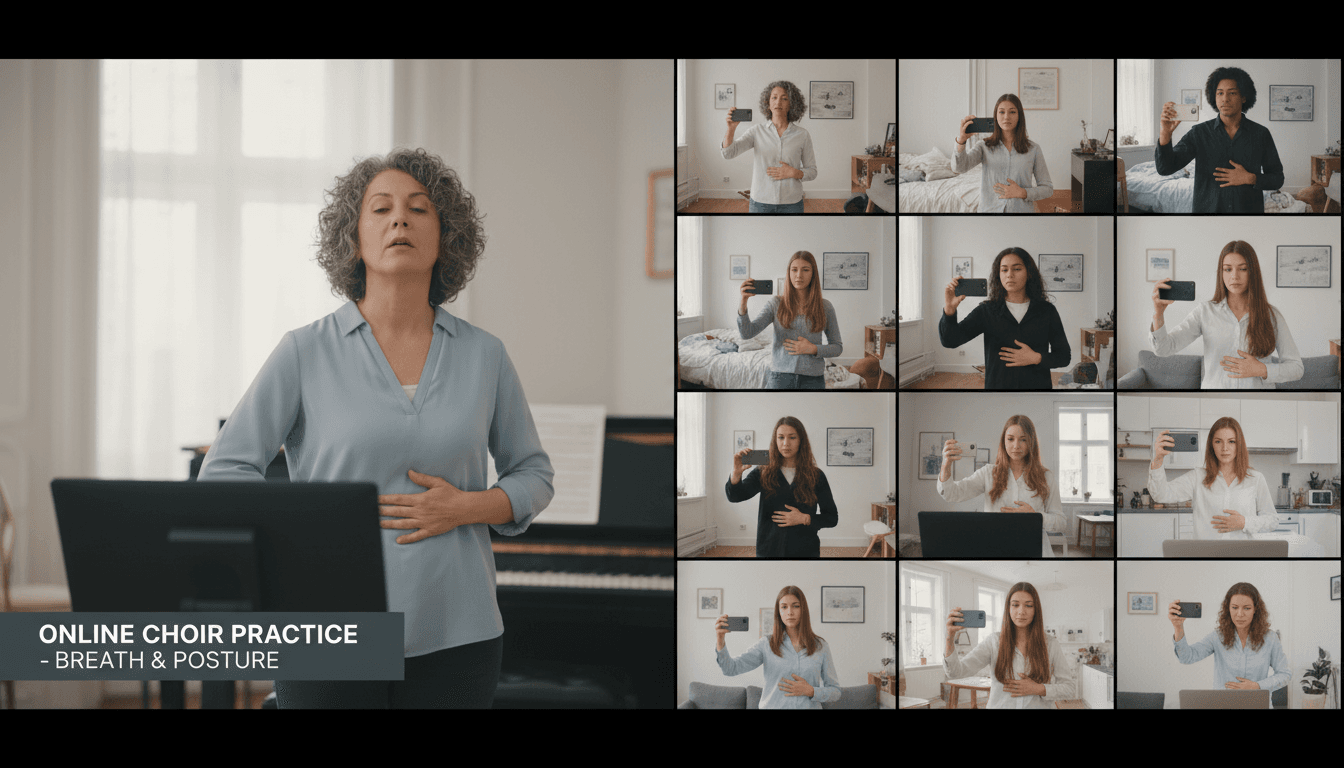
Include a one-paragraph guide for recording at home. Students should stand with good posture, record in a quiet space, begin the recording with five seconds of silence before singing so you can hear the room noise level, and end with five seconds of silence after completing the exercise. Tell families that submissions do not need to be technically polished. They need to be audible, uninterrupted, and in the correct format.
Explain how remote choir participation is graded
Grading transparency is more important in a remote setting because families are aware that the normal classroom observation does not apply. Tell families exactly what counts toward the grade during remote learning. Synchronous attendance carries the same weight as in-person attendance. Asynchronous vocal submissions are graded on the same rubric criteria as in-person assessments. Practice log completion, if you use one, continues as a graded component.
If you are adjusting your rubric for the technical realities of home recording, tell families what accommodations you are making. For example, if you are not grading for ensemble blend during individual submissions, say so. If you are evaluating pitch accuracy and breath support only, say so. Families appreciate knowing that you are being fair to their student given the limitations of the format.
Help families set up a productive home practice space
Unlike instrumental music, vocal practice does not require a dedicated instrument, but it does require a space where a student can sing without self-consciousness or constant interruption. Give families practical guidance for supporting this. A bedroom with the door closed, a bathroom with good natural acoustics, or any room where the student can stand with space around them is adequate.
Encourage families to treat the daily vocal practice session the same way they would treat a homework period: a consistent time, a consistent space, and a signal to other household members that the student needs quiet. Ten minutes of focused daily vocal warm-ups is more effective than a thirty-minute session once a week. Short, consistent practice builds muscle memory and vocal technique faster than occasional long sessions.
Address vocal health for remote learners
Students learning from home are often less physically active, spend more time in front of screens, and may drink less water during the day than they would at school. All of these factors affect vocal health. Remind families to encourage their student to stay consistently hydrated throughout the day, to take breaks from screen time that involves sustained talking or video calls, and to avoid whispering, which strains the vocal cords more than speaking at a normal volume.
If the school is in a period of elevated illness, add a note that students with sore throats or vocal strain should rest the voice and notify you so you can arrange a makeup submission rather than pushing through with a compromised voice.
Tell families how to reach you and what support is available
Remote learning can feel isolating for students who are accustomed to the energy of a shared rehearsal space. Close the newsletter by reminding families that you are available to support both students and parents during the remote period. Give your preferred communication channel and response time. If you are holding office hours via video call for students who want extra help with a vocal exercise or technical issue, list the time and link.
Families who know that support is available are more likely to reach out when their student is struggling rather than letting the problem compound over several weeks. Visibility and accessibility during remote learning make a significant difference in how many students stay engaged through a disrupted period.
Get one newsletter idea every week.
Free. For teachers. No spam.
Frequently asked questions
What should a choir remote learning newsletter tell families?
A remote choir newsletter should cover how virtual class sessions are structured, what technology students need and how to set it up, how vocal assignments will be submitted from home, what the grading criteria are for remote submissions, and what families can do to support a productive vocal practice environment at home. Remote choir requires more family cooperation than in-person class because the practice space and the performance environment are now the same room. Families who understand their role in making that work will be far more supportive partners.
How do you teach choir technique effectively in a virtual format?
Virtual choir instruction requires adapting your teaching methods. Use a document camera or screen share to show notation rather than relying on students following you in a physical space. Demonstrate vocal technique on video with clear, exaggerated physical cues for breath support and posture. Use breakout rooms or asynchronous recording submissions for individual vocal checks, since singing together in a live video call creates unmanageable audio lag. Assign short daily vocal exercises via video or audio recording so students are building technique outside of class time.
How do choir teachers handle vocal submission assignments remotely?
The most common remote vocal submission method is a short video or audio recording submitted through a school-approved platform. Tell families exactly how to record: which app to use, how long the recording should be, what the lighting and audio quality requirements are, and where to submit it. Tell students to stand or sit with good posture, record in a quiet room, and sing without backing tracks unless one is specifically required. Clear submission instructions prevent the majority of technical problems that delay grading.
How do you grade choir participation during remote learning?
Remote choir participation grades typically combine synchronous attendance during live sessions, completion of asynchronous vocal assignments, and submission quality. Attendance during a live video session should be tracked the same way in-person attendance is. Asynchronous assignments should have clear due dates and rubric criteria shared in advance. If you are evaluating tone quality, breath support, and pitch accuracy on a recording, include those same rubric categories from your in-person assessments so grading remains consistent between formats.
How does Daystage help choir teachers communicate during remote and hybrid learning periods?
Daystage lets choir directors send organized, readable newsletters to families during remote learning periods without relying on a single communication channel that may or may not reach everyone. You can include video links, assignment instructions, and submission deadlines in one newsletter, track who has opened it, and send targeted follow-ups to families who have not. During periods of disrupted learning, consistent and visible communication is one of the most important things a teacher can do to keep students engaged.

Adi Ackerman
Author
Adi Ackerman is a former classroom teacher and curriculum writer with 8 years in K-8 schools. She writes about school communication, parent engagement, and what actually works in real classrooms.
More for Subject Teachers
Ready to send your first newsletter?
3 newsletters free. No credit card. First one ready in under 5 minutes.
Get started free