
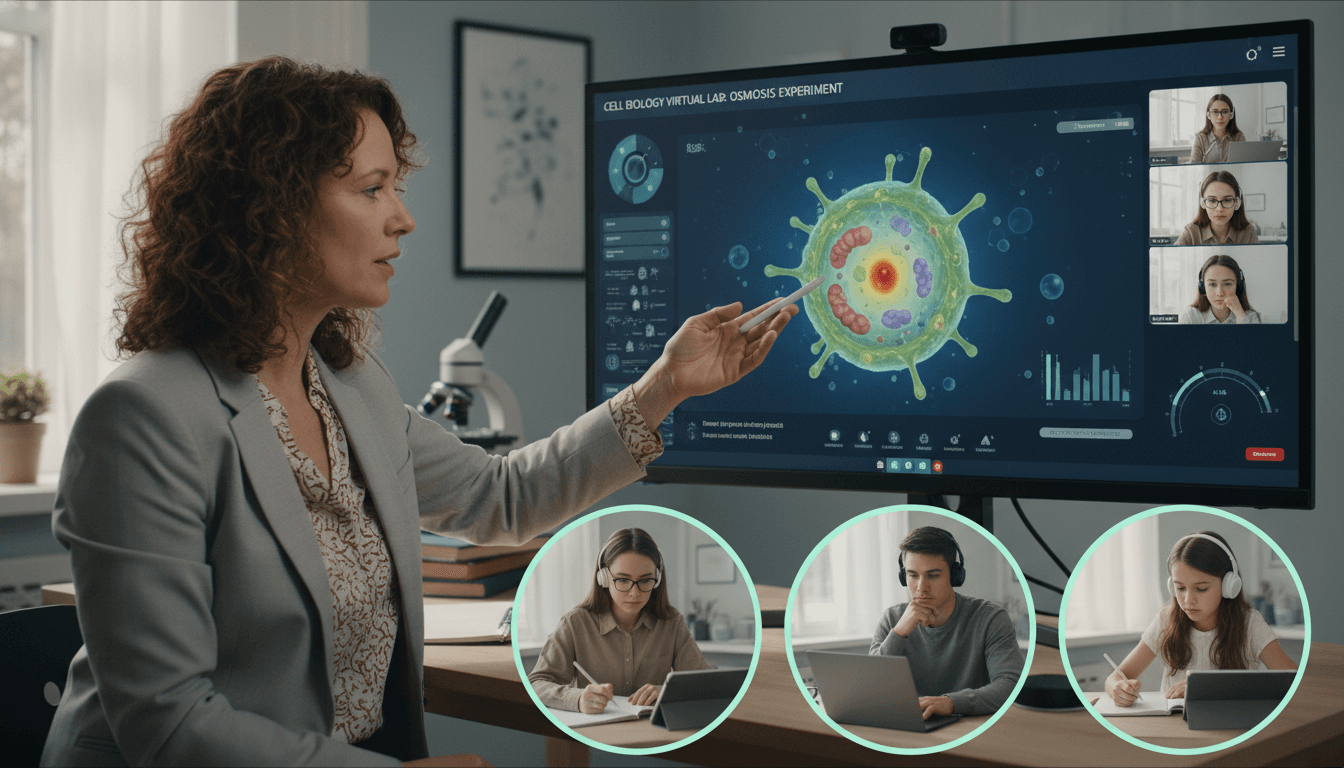
Biology Teacher Newsletter: Remote and Hybrid Learning Newsletter Guide

Remote and hybrid biology learning puts more responsibility on families than most subjects. When the lab is a screen and the classroom is a kitchen table, parents need clear guidance on what their student should be doing, which tools they need, and what a productive biology learning session looks like from home. A biology remote learning newsletter provides that guidance.
This guide covers what to include in a biology newsletter during remote or hybrid periods, how to explain virtual lab tools in plain language, and how to help families create a home learning environment that supports real science work.
Explain the remote biology learning structure clearly
Start by telling families exactly how biology class will run during the remote or hybrid period. Name the platform for live sessions, the days and times, the attendance expectations, and how assignments will be submitted. If some sessions are synchronous (live video) and some are asynchronous (recorded lessons and self-paced work), explain the difference and tell families which activities fall into each category.
For biology specifically, tell families whether students will have scheduled virtual lab sessions that require active participation at a specific time or whether lab simulations can be completed within a flexible window. The distinction matters because virtual labs require focus and interactivity that passive video-watching does not. A student who treats a lab simulation assignment like a homework reading will produce work of significantly lower quality.
Name the virtual lab tools students will use
Virtual biology labs rely on specific platforms that families may never have heard of. Name the tools students will use and give a one-sentence description of each. PhET Interactive Simulations from the University of Colorado offer free, browser-based simulations for natural selection, gene expression, and ecology. Labster provides immersive virtual labs for cell biology, microscopy, and genetics. HHMI BioInteractive offers curated short videos and interactive resources tied to authentic scientific research.
Tell families whether these tools require an account, whether they work on a phone or only on a laptop, and whether they require a strong internet connection. Technical barriers are real, and a newsletter that addresses them proactively reduces the volume of messages you receive from families reporting that the assignment is not working.

Describe what a virtual lab assignment looks like
Families who have never seen a virtual biology lab do not know what to expect from their student during that time. Tell them. A virtual cell biology lab might ask students to manipulate a simulation showing how membrane permeability changes with temperature, record data at five temperature intervals, complete a data table, graph the results, and write a conclusion explaining what the data shows about cell membrane behavior.
That activity requires 40 to 60 minutes of focused attention, a workspace with enough room to write alongside the computer, and quiet. It is not something a student can do effectively while watching television or in a loud common area. Telling families this directly in the newsletter is not parenting; it is practical guidance that produces better student work.
Give guidance on home study space for biology
A biology student working from home needs a workspace that supports two distinct activities: reading and writing, and hands-on interaction with a screen during virtual labs. Tell families that the ideal biology workspace has a flat surface large enough for a laptop plus a notebook or data sheet, adequate lighting, and minimal background noise during synchronous sessions and virtual labs.
If your school has provided any physical materials for home biology work (seed germination kits, microscopy slides, or dissection alternatives), name what students received and when they will need those materials during the remote period. Materials that sit in a backpack unused because families did not know when to get them out represent a missed learning opportunity.
Address AP Biology remote learning expectations specifically
If you teach AP Biology, a dedicated section for AP-specific remote expectations is worth including. AP Biology students need to complete virtual labs with the same depth of data collection and analysis they would bring to a physical lab. Free-response practice should continue on a regular schedule. Students who fall behind on written AP practice during a remote period face a significant challenge when in-person preparation resumes.
Tell families when AP practice free-response assignments are due, how students should submit them, and what feedback they can expect. If you are holding virtual AP review sessions, name the dates and times and tell families that attendance at those sessions is particularly important during a period when classroom time is reduced.
Tell families how to support a biology student at home
Parents do not need a science background to support a biology student in remote learning. The most useful things they can do are ensure the workspace is ready before class starts, make sure their student is not multitasking during live sessions or virtual labs, and ask their student to explain what they learned in the virtual lab once it is finished.
Asking "what did the simulation show you about how cells work?" is not a test; it is a study strategy. Students who explain what they observed to another person consolidate the learning more effectively than students who close the laptop and move on. Tell families this directly and most of them will do it.
Close with your remote communication schedule
End the newsletter with clear information about how families can reach you during the remote period, how quickly you respond to emails, and when you hold virtual office hours for students who need extra help. Remote learning is isolating for students who are struggling, and families who know you are reachable feel less anxious about the transition.
If you plan to send weekly remote-period newsletters, say so here. A family that knows a newsletter is coming every Monday morning checks for it. A family that receives newsletters at unpredictable intervals treats each one as a surprise and pays less consistent attention. Set the cadence early and hold to it.
Get one newsletter idea every week.
Free. For teachers. No spam.
Frequently asked questions
What should a biology remote learning newsletter cover?
Cover the platform students will use for live class sessions, the virtual lab tools available, how assignments will be submitted, how students access lab simulations from home, and what a productive home learning environment looks like for a biology student. Biology is a hands-on subject, and remote learning requires more setup and explanation than most other courses. Families who understand the tools and the expectations from the start experience fewer technical surprises mid-unit.
How should a biology teacher explain virtual labs to parents?
Name the specific virtual lab platform students will use and tell families what the simulation covers. Tools like PhET Interactive Simulations, Labster, or HHMI BioInteractive offer virtual lab experiences that cover cell biology, genetics, ecology, and evolution. Tell parents what students are expected to do during the simulation: record observations, complete a data table, answer analysis questions, and submit a conclusion. Virtual labs are most effective when students treat them with the same level of attention they would give a physical lab, and that expectation is reinforced when families understand what the assignment involves.
Are there home lab activities biology students can do safely?
Yes, but they should be clearly scoped by the teacher. Common safe home biology activities include observing and sketching organisms like plants or insects found outside, growing fast-germinating seeds like bean or radish sprouts to observe plant growth over several days, or using a basic magnifying glass to observe surface textures and structures. Tell families which activities are teacher-assigned and what materials are needed before the activity begins. Do not send students to source their own materials without a specific list. Ambiguity leads to improvisation, and improvisation in any lab context introduces unnecessary risk.
How should AP Biology remote learning expectations differ from in-person?
The content and rigor should not differ, but the logistics need more scaffolding. AP Biology students in a remote or hybrid model need clear guidance on how to access practice free-response questions, how to submit written lab analyses digitally, and how to participate in virtual discussion sessions that replace the collaborative lab bench conversation. Tell families that AP Biology remote learning requires a quiet, distraction-free workspace, a reliable internet connection for video sessions, and dedicated lab simulation time that should not be treated as independent reading but as an active, hands-on assignment.
How does Daystage help biology teachers communicate during remote or hybrid learning?
Daystage makes remote-period newsletters easy to send consistently, which is when consistent communication matters most. Families adjusting to remote or hybrid schedules rely on clear, regular newsletters to know what is happening in class when they cannot see it directly. With Daystage, a biology teacher can send a weekly newsletter covering the virtual lab activity, the live session schedule, and any upcoming assessments, and see which families are opening it. That visibility helps teachers identify which families may need a follow-up phone call to make sure remote learning is on track.

Adi Ackerman
Author
Adi Ackerman is a former classroom teacher and curriculum writer with 8 years in K-8 schools. She writes about school communication, parent engagement, and what actually works in real classrooms.
More for Subject Teachers
Ready to send your first newsletter?
3 newsletters free. No credit card. First one ready in under 5 minutes.
Get started free