
How to Explain Padlet Activities to Families in Your Teacher Newsletter

Padlet is one of the most versatile digital tools in classroom instruction because it makes collaborative thinking visible. When students post their ideas, responses, or work to a shared board that the whole class can see, learning becomes social and cumulative rather than isolated. Families who see the Padlet link in a newsletter or hear their student mention it often do not know what they are looking at. A newsletter that explains the activity and what it produced helps families engage with the collaborative work their student contributed to.
Explain what Padlet is
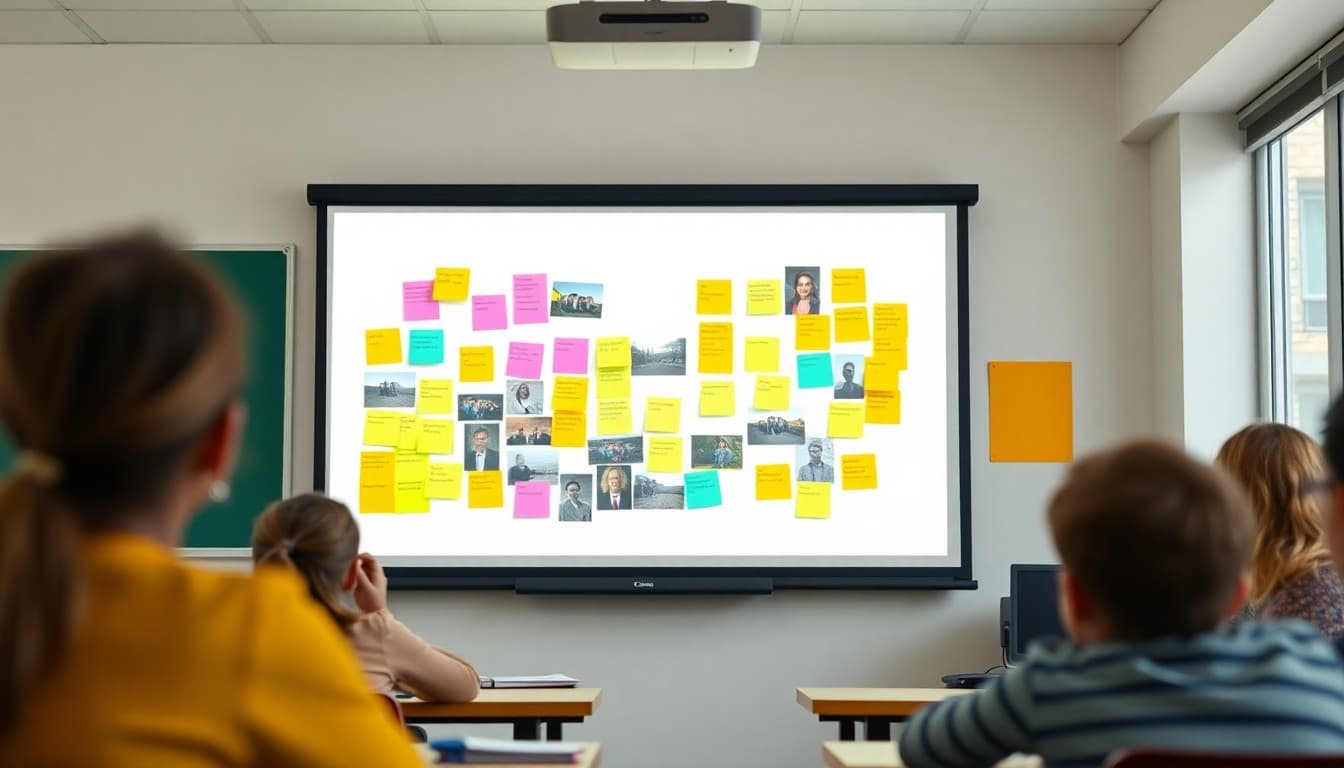
"Padlet is a digital collaborative board. Think of it as a shared whiteboard where every student in the class can post text, images, links, or drawings that the whole class can see in real time. I use it for activities where the goal is to gather and display the thinking of the whole class at once, not just one student at a time. It is the digital equivalent of every student putting a sticky note on the board simultaneously."
Describe the most recent Padlet activity in your class
"This week we used Padlet to collect initial ideas for our persuasive writing unit. I posed the question: 'What rules at school would you change and why?' Each student posted their idea with at least two supporting reasons. By the end of five minutes, we had twenty-seven posts visible on the board. Students read each other's ideas and could agree or add a response post. The Padlet became the starting brainstorm for the full class before anyone wrote a single draft."
Explain the instructional purpose of visible collaboration
"When students see each other's thinking at the same moment they are forming their own, they sharpen their ideas in response. A student who was going to write about lunch rules might shift their argument after seeing three classmates make stronger points on the same topic. A student who sees a perspective they had not considered might build on it or push back. That kind of intellectual response to peer thinking is harder to create in a solo writing assignment."
Tell families how to view the class Padlet
"This week's Padlet is linked below. You can view all of the student posts including your student's contribution. The board is set to view-only for outside visitors, so you will be able to see but not post. If you want to know which post is your student's, ask them to show you when they get home. Families are often surprised by the quality and variety of ideas students generate when they write for an audience of peers rather than just for the teacher."
Note what comes next based on the Padlet activity
"The Padlet ideas will feed directly into the persuasive writing drafts students begin next week. Students can choose to develop their own original idea or build on something they read on the board. Either way, they enter the drafting phase with a larger pool of ideas and arguments than they would have generated alone. The Padlet also gives me a preview of what students care about and where they have strong versus weak reasoning before I start individual writing conferences."
Address any privacy considerations families might have
"Student posts on our class Padlet show first names only, or the nickname each student chose for the activity. The board is accessible only via the link I share. I review all posts before and after the activity and remove anything that is off-topic or inappropriate. If you have any concerns about your student's posts being visible to classmates, please contact me and we can discuss alternatives."
Sharing a Padlet screenshot or link in a Daystage newsletter is one of the most engaging things teachers can include, because families get to see the whole class thinking together rather than just their own student's work.
Get one newsletter idea every week.
Free. For teachers. No spam.
Frequently asked questions
What is Padlet and how is it used in class?
Padlet is a digital collaborative board where students can post text, images, links, drawings, and video clips to a shared wall. Teachers use it for brainstorming, discussion responses, gallery displays of student work, research collection, and collaborative note-taking. Everyone's posts are visible to the class in real time, creating a shared record of thinking.
Can students see each other's Padlet posts?
Yes, that is one of the features. Padlet is designed for visible collaboration. Teachers can configure whether posts require approval before appearing, whether names are shown, and whether the board is view-only or editable by the class. Most classroom Padlets show student posts publicly within the class so students can respond to and build on each other's contributions.
Does a Padlet post count as an assignment?
It depends on how the teacher sets up the activity. Some Padlet activities are graded as participation or as a formative check. Others are shared brainstorming with no individual grade. Teachers typically tell students before the activity whether their contribution will be graded.
Can families see the class Padlet?
Teachers can share a Padlet link with families if they choose. This gives parents a view of the collaborative work their student contributed to and can be an interesting window into class discussions. Whether families can comment or only view depends on the permission settings the teacher configures.
Can Daystage help teachers share Padlet highlights with families in newsletters?
Yes. A Daystage newsletter can include a screenshot of the class Padlet or a link to the board, along with an explanation of the activity and what students contributed. This is a compelling visual that shows collaborative thinking rather than individual work.

Adi Ackerman
Author
Adi Ackerman is a former classroom teacher and curriculum writer with 8 years in K-8 schools. She writes about school communication, parent engagement, and what actually works in real classrooms.
More for Classroom Teachers
How to Explain Nearpod Lessons to Families in Your Teacher Newsletter
Classroom Teachers · 6 min read
How to Explain Flipgrid Video Responses to Families in Your Teacher Newsletter
Classroom Teachers · 6 min read
How to Explain a Gallery Walk Activity in Your Teacher Newsletter
Classroom Teachers · 6 min read
Ready to send your first newsletter?
3 newsletters free. No credit card. First one ready in under 5 minutes.
Get started free