

How to Explain Nearpod Lessons to Families in Your Teacher Newsletter
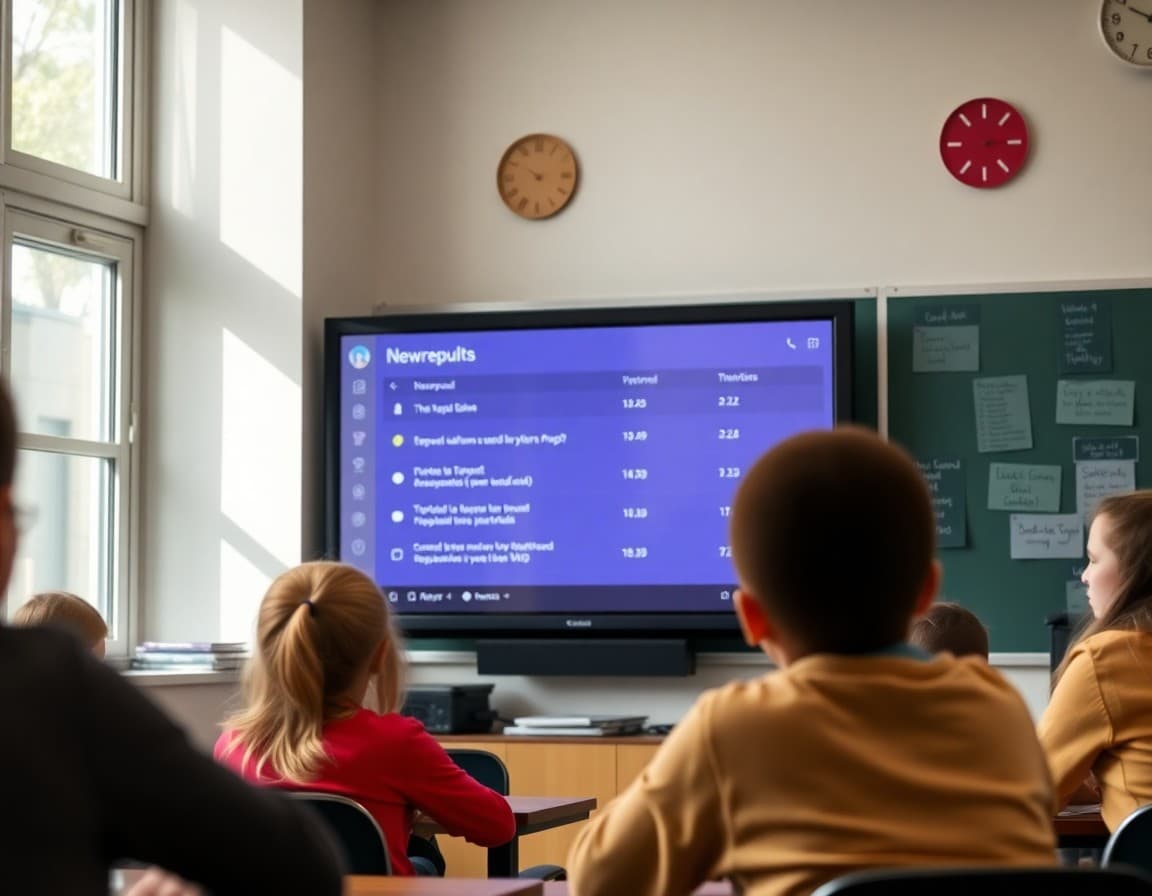
Nearpod is one of the most widely used interactive lesson platforms in K-12 classrooms because it solves a fundamental problem with digital instruction: it keeps every student in the lesson at the same time and requires active responses rather than passive watching. Families who know their student uses Nearpod often have no idea what that means beyond "we use devices in class." A newsletter that explains the tool and what it adds to instruction helps families understand how digital tools are used purposefully in your classroom.
Explain what Nearpod is
"Nearpod is an interactive lesson tool where students follow the lesson on their own devices while I control the pace from mine. Each slide can include questions, polls, drawing activities, videos, or interactive tasks that students complete and submit in real time. I can see every student's response on my screen before I advance. If I see that eight students answered incorrectly, I can pause, share the responses anonymously, and address the misconception before moving on."
Describe the types of activities in a Nearpod lesson
"A typical Nearpod lesson in our class includes: information slides with embedded text and images, short video clips (one to two minutes), multiple choice checks, open-ended response questions where students type an answer and I can share selected responses with the class, and draw-it activities where students label a diagram or sketch a concept directly on the slide. The mix keeps students actively engaged rather than passively watching a slideshow."
Explain how Nearpod functions as a live formative check
"Every response students submit in Nearpod is visible to me in real time. When I ask a multiple choice question about photosynthesis and fourteen out of twenty students choose the wrong answer, I see that immediately. That is the same data an exit ticket gives me, but I get it mid-lesson rather than at the end, while I still have time to address the misconception in the same class period."
Tell families what the most recent Nearpod lesson covered
"This week's Nearpod lesson introduced the water cycle. Students watched a two-minute animation of evaporation and condensation, labeled a diagram of precipitation and runoff, and answered three questions about how energy from the sun drives the cycle. The draw-it activity where students labeled the cycle stages on a blank diagram showed me that most students understood evaporation and condensation but needed more work on transpiration. Tomorrow's lesson starts there."
Note how Nearpod supports students who need more time
"For students who need to review the lesson content, I can assign the same Nearpod presentation in student-paced mode. Students access it on any device and move through it at their own pace outside of class. If your student is reviewing the water cycle before a quiz and wants to go back through the lesson slides, I can send the student-paced link on request."
Explain how Nearpod compares to a traditional lesson
"A traditional lesson where I lecture and students take notes gives me no information about whether students understood anything until I collect and review their notes or give a quiz. A Nearpod lesson where students respond to embedded questions every few minutes gives me a running picture of understanding throughout the lesson. The device is not the point. The visibility into real-time thinking is."
Sharing how Nearpod works in a Daystage newsletter helps families understand that device time in your classroom is structured, interactive, and directly tied to the lesson goals rather than open browsing.
Get one newsletter idea every week.
Free. For teachers. No spam.
Frequently asked questions
What is Nearpod and how is it used in a classroom lesson?
Nearpod is an interactive presentation tool where students follow along on their own devices while the teacher controls the pace of the lesson. Slides can include videos, polls, open-ended questions, matching activities, draw-it tasks, and virtual field trips. Students submit responses in real time, and the teacher can see all responses on their device before deciding whether to share them with the class.
Is Nearpod just a digital slideshow?
No. A regular slideshow is one-way communication. Nearpod is interactive. Students respond to questions embedded in the slides rather than just watching. The teacher sees every student's response in real time, which means Nearpod functions as both an instructional tool and a live formative assessment of how students are understanding each part of the lesson.
Can students go back and review a Nearpod lesson at home?
Some Nearpod lessons have a student-paced mode where students can move through the slides independently. If the teacher assigns student-paced mode, students can access it via a code and review the content on any device. Teachers who want to make a lesson available for absent students or home review can assign it in this mode.
What devices do students use for Nearpod?
Any device with a browser. Tablets, Chromebooks, laptops, and phones all work. Students go to join.nearpod.com and enter the session code. No app download is required for the browser version, though a Nearpod app is available.
Can Daystage help teachers share information about Nearpod lessons with families in newsletters?
Yes. A Daystage newsletter that explains what a Nearpod lesson covers and what interactive activities it includes gives families a clear picture of how digital tools support instruction in the classroom.

Adi Ackerman
Author
Adi Ackerman is a former classroom teacher and curriculum writer with 8 years in K-8 schools. She writes about school communication, parent engagement, and what actually works in real classrooms.
More for Classroom Teachers
How to Explain Padlet Activities to Families in Your Teacher Newsletter
Classroom Teachers · 6 min read
How to Explain Quizlet Live to Families in Your Teacher Newsletter
Classroom Teachers · 6 min read
How to Explain Student Digital Portfolios to Families in Your Teacher Newsletter
Classroom Teachers · 6 min read
Ready to send your first newsletter?
3 newsletters free. No credit card. First one ready in under 5 minutes.
Get started free