
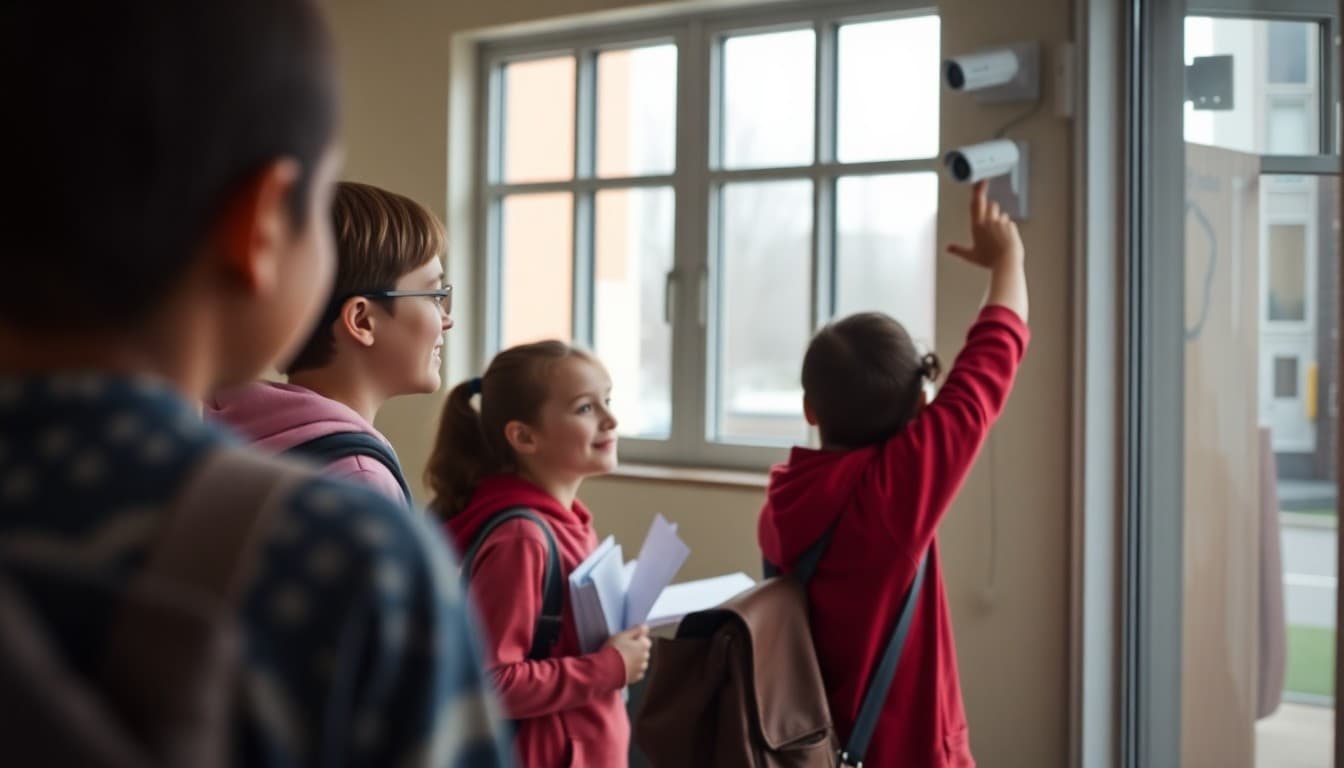
School Camera Surveillance Newsletter: Technology for Safety
Security cameras are now standard in most schools, but families often don't know where cameras are located, who can watch them, or what footage is used for. A clear, transparent newsletter on your surveillance system builds trust and closes the information gap before rumors or misunderstandings fill it.
Start with What the Camera System Is Designed to Do
Open by explaining the purpose of your school's camera surveillance system. Cameras serve two main functions: deterrence and documentation. Their visible presence discourages prohibited behavior. When an incident does occur, recorded footage gives administrators accurate information about what happened rather than relying on conflicting accounts. This dual purpose is worth stating explicitly because families sometimes assume cameras are only reactive.
Name the Locations Where Cameras Are Installed
Be specific about where cameras are placed. Common school camera locations include main entrances and exits, hallways near classrooms and restrooms, cafeterias, gymnasiums, parking lots, bus loading zones, and administrative areas. State explicitly that cameras are not placed in restrooms, locker rooms, private counseling spaces, or any other area where students and staff have a reasonable expectation of privacy. Families who know exactly where cameras are installed are less likely to feel that surveillance is excessive.
Explain Who Monitors Camera Footage
Tell families who has access to live camera monitoring and recorded footage. In most schools, live monitoring is done by the front office staff or security personnel during school hours. Recorded footage is accessible only to school administrators and, when legally required, law enforcement. Name the specific roles at your school. "The principal, assistant principal, and head of security can access recorded footage. No other staff have access without administrator authorization" is a complete and reassuring statement.
Describe When Footage Is Reviewed
Families want to know under what circumstances footage gets pulled and watched. Be direct. Footage is reviewed when an incident is reported, such as a theft, a fight, or a safety concern. It is not routinely monitored for general behavior. If your school has an exception to this, such as monitoring of the main entrance in real time during arrival and dismissal, say so.
Use a Template Section for Your Retention and Access Policy
Here is language you can adapt:
"Security footage at [School Name] is stored for [X] days. Footage related to an open investigation may be held longer. Access is limited to [principal, assistant principal, security staff, and law enforcement as required]. Parents and families may not access footage that includes other students. Students and their families may submit a written request to review footage of their own child in limited circumstances. Contact [name] at [email] for information about this process."
Address FERPA and Privacy Considerations
Families may ask whether camera footage is a student education record under FERPA. The answer is nuanced. Footage that directly relates to a specific student and is maintained as part of a student's disciplinary record may be treated as a FERPA record. General surveillance footage that incidentally captures students in common areas typically is not. Acknowledge the complexity without getting lost in legal detail. "Our footage is managed in accordance with federal privacy law and district policy" is sufficient for most audiences.
Share Any Recent Changes to the System
If this newsletter is prompted by an expansion or upgrade to your camera system, describe the change specifically. "We added 12 cameras to cover the east wing hallways and the gymnasium entrance in September" is more informative than "we improved our camera coverage." Families who know what changed have a more accurate picture of campus security than families who received a vague update.
Invite Questions and Provide Contact Information
Close with a direct contact for families who have questions about the camera policy or who want to request footage related to their child. Include the name, role, and contact method. Families who know who to call are less likely to go to social media or public forums with questions that should be resolved directly with the school.
Get one newsletter idea every week.
Free. For teachers. No spam.
Frequently asked questions
Are schools required to notify families about security cameras?
Most states do not require formal parental notification for security cameras in school common areas, but transparency is strongly recommended as a matter of community trust. Cameras in private spaces such as bathrooms and locker rooms are prohibited. A newsletter explaining camera placement and use demonstrates respect for community privacy expectations even when legal disclosure isn't required.
Where are security cameras typically placed in schools?
Common camera locations include building entrances and exits, hallways, parking lots, cafeterias, gymnasiums, libraries, and administrative areas. Cameras are not placed in restrooms, locker rooms, or other private spaces. Some schools also install cameras on school buses. The newsletter should specify which areas are covered at your school.
Who can access school security camera footage?
Access to security footage is typically limited to school administrators, designated district staff, and law enforcement when footage is relevant to an investigation. Parents cannot access footage of other students. Students and their parents can sometimes request footage of their own child in specific circumstances, subject to FERPA guidelines and district policy. Explain your school's access policy clearly in the newsletter.
How long is school security camera footage kept?
Retention periods vary by district policy, typically ranging from 30 to 90 days for routine footage. Footage related to an incident under investigation may be retained longer per district and legal requirements. Tell families your school's specific retention window so they understand how long footage is available if a concern arises.
Can Daystage help schools communicate surveillance policy updates to specific groups?
Yes. If your school expands its camera system to include buses or a new building wing, Daystage lets you send a targeted update to affected families without sending a school-wide message. Targeted communication prevents unnecessary alarm among families whose children aren't affected by the specific change.

Adi Ackerman
Author
Adi Ackerman is a former classroom teacher and curriculum writer with 8 years in K-8 schools. She writes about school communication, parent engagement, and what actually works in real classrooms.
More for School Safety
Ready to send your first newsletter?
3 newsletters free. No credit card. First one ready in under 5 minutes.
Get started free