
Kindergarten Enrollment Newsletter: How to Guide Families Through Registration Without the Confusion
Kindergarten enrollment is often a family's first official interaction with the school as an institution rather than a community. They do not yet know the principal, the teachers, or the culture. The enrollment newsletter is the first impression the school makes, and it either builds confidence in the institution or raises the first doubts about whether this school has its act together.
A clear, well-organized enrollment newsletter signals: this school communicates well, knows what it needs from you, and will tell you what happens next. Every family who enrolls without a single confused phone call to the office is a testament to the quality of that first communication.
Leading with the most important information
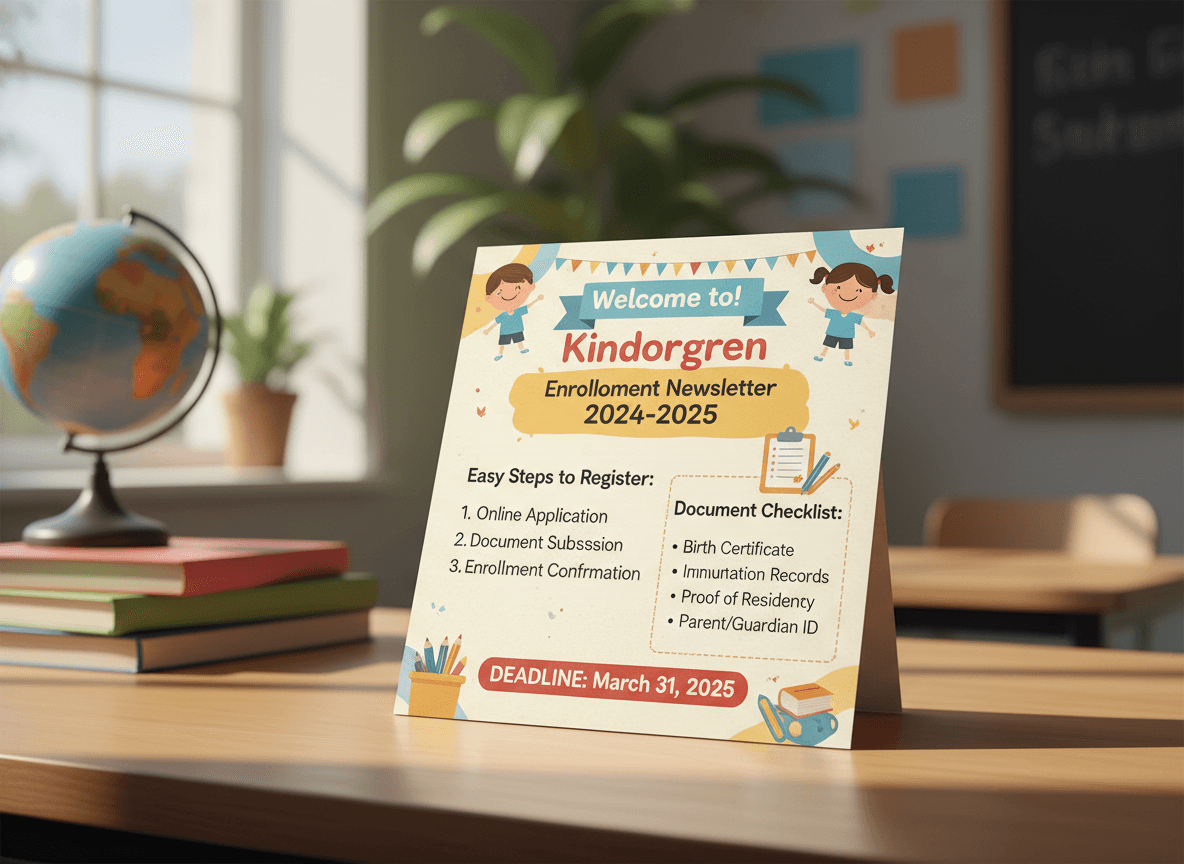
The enrollment deadline belongs at the top of the newsletter. Not buried in the second paragraph after a welcome message. A family who opens the newsletter and cannot immediately see the deadline has to read through context they may not have time for. Put the deadline in the first three lines.
Age eligibility is the second most critical piece. State it plainly: children must turn five by a specific date to enroll in kindergarten for the upcoming school year. Include the specific cutoff date in the same sentence. This prevents the most common enrollment inquiry: is my child old enough?
A clear document checklist
List every required document with specific descriptions. Not just immunization records but the most recent immunization records on a state-approved form. Not just proof of residency but a current utility bill, lease agreement, or bank statement dated within 60 days with the parent or guardian's name and current address.
Format the list as a checklist rather than a paragraph. A checklist is scannable. A paragraph is not. Families gathering documents across multiple days need to be able to quickly see what they have and what they still need.
How to submit enrollment
Describe the submission process specifically. Online enrollment portal with a direct link, in-person enrollment appointment with contact information to schedule, or both. If there is a choice, briefly describe when each option is most appropriate. Some families do not have reliable internet access and need to know in-person options are available without feeling like an exception.
What happens after enrollment
Close every enrollment newsletter with a brief description of what families can expect next. Confirmation email or letter, orientation date if known, when they will hear about classroom placement. The next step creates a sense of process completion. Families who enroll and then hear nothing for weeks start calling the office.
Reaching families before they are in your system
The enrollment newsletter can only reach families who are already on a school mailing list if you send it exclusively through email. Reach the full incoming class by distributing to local preschools, pediatricians' offices, and libraries. Include a direct enrollment link in the footer so any family who receives a forwarded copy can take immediate action.
Get one newsletter idea every week.
Free. For teachers. No spam.
Frequently asked questions
When should schools send the kindergarten enrollment newsletter?
Send the primary enrollment newsletter in January or February for fall enrollment, giving families several months to gather documents and meet deadlines. A reminder newsletter in March catches families who missed the first issue. A final deadline reminder in April or May closes out the enrollment window.
What should the enrollment newsletter include?
Enrollment deadline, age eligibility requirements, required documents such as birth certificate, immunization records, and proof of residency, where and how to submit the enrollment forms, and what the next step is after enrollment is complete. Each of these elements should be findable by skimming, not buried in paragraphs.
How do enrollment newsletters reach families who do not yet have a connection to the school?
Distribute through pediatricians' offices, preschools, childcare centers, libraries, and community centers. Post on social media. Ask current school families to share with neighbors who have a child turning five. The enrollment newsletter needs to reach people who are not yet on any school communication list.
What document requirements confuse families most in an enrollment newsletter?
Proof of residency is the most common point of confusion. Be specific about which documents qualify: utility bills, lease agreements, mortgage statements. State clearly whether documents need to be originals, copies, or whether digital submissions are accepted. Vague documentation requirements are the top cause of enrollment appointment delays.
How does Daystage support school enrollment communication?
Daystage handles subscriber list management and inline email for school programs. Schools use it to send enrollment newsletters to existing family lists and to provide a simple share link for community distribution.

Adi Ackerman
Author
Adi Ackerman is a former classroom teacher and curriculum writer with 8 years in K-8 schools. She writes about school communication, parent engagement, and what actually works in real classrooms.
More for Kindergarten Transition
Kindergarten Show and Tell Newsletter Guide
Kindergarten Transition · 5 min read
Kindergarten Academic Expectations Newsletter: What Families Need to Know About What Their Child Will Learn
Kindergarten Transition · 5 min read
Kindergarten First Day Newsletter: What to Send Before and After the Most Emotional Day of the Year
Kindergarten Transition · 5 min read
Ready to send your first newsletter?
3 newsletters free. No credit card. First one ready in under 5 minutes.
Get started free