

Superintendent Technology Initiative Newsletter: Explaining EdTech Investments to Families
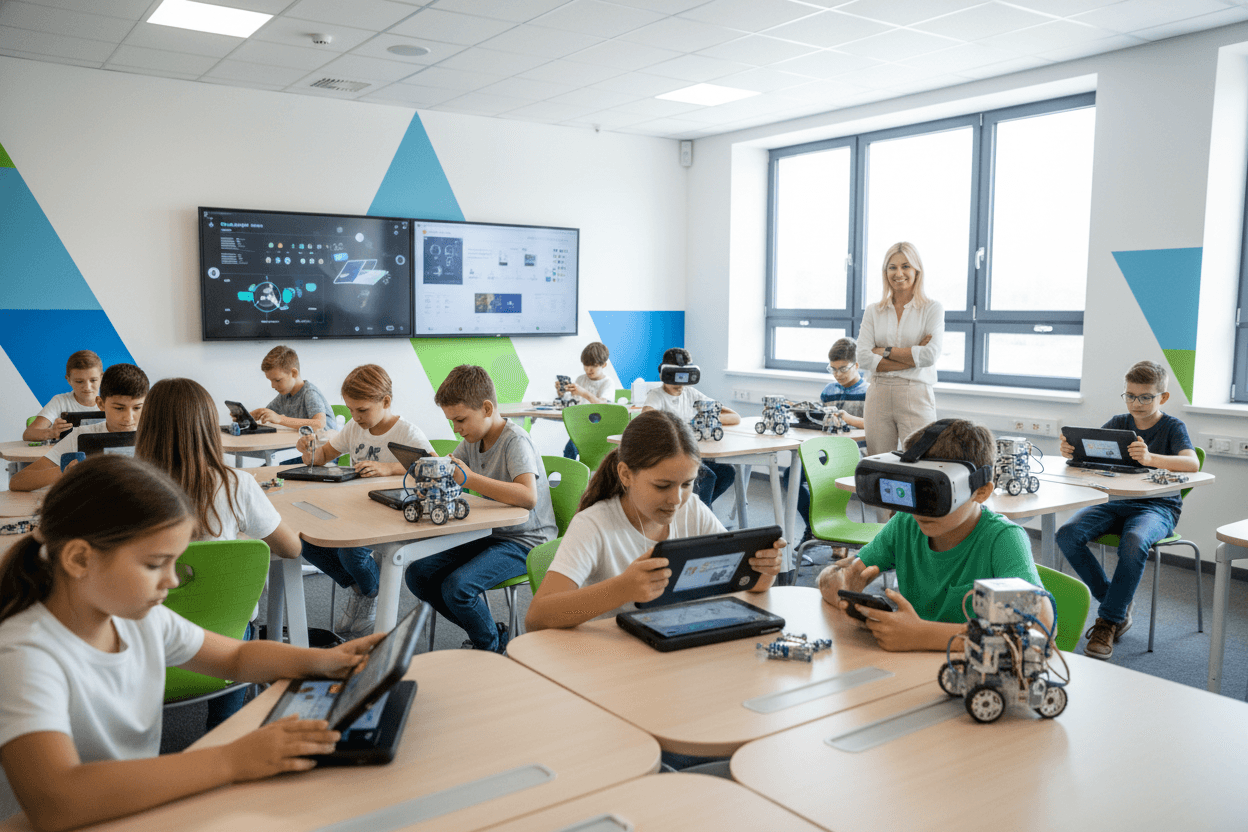
Technology investments are some of the most visible budget decisions a superintendent makes, and some of the most criticized when the results are not obvious to families. Chromebooks that sit in carts. Software platforms that teachers stop using after year one. AI tools that generate parent concern about data privacy and academic integrity.
The communication gap is usually not about the technology. It is about the connection between the investment and the learning outcomes it is supposed to produce. That connection is what technology newsletters have to make clear.
Why EdTech communication matters
Technology in schools generates more family skepticism than almost any other district investment. This is partly because high-profile EdTech failures have been widely reported in education media. It is also because the benefits of technology are often described in aspirational terms that do not connect to what families observe at home.
When a student brings home a tablet but cannot explain what they are using it for academically, parents start wondering whether the district spent money wisely. A newsletter that explains the specific learning purpose of the technology closes that gap before skepticism hardens into opposition.
What to include
A technology initiative communication should cover:
- What the investment is. What technology is being acquired or expanded, for which grade levels or schools, and at what cost. Be specific about both the technology and the price.
- Why this technology. What problem is it solving? What learning need does it address? What process was used to select it?
- How teachers are being trained. Technology that outpaces teacher training produces poor outcomes. Describe your professional development plan specifically.
- What families will see. How will the technology show up in homework, projects, or classroom activities that families can observe?
- How outcomes will be measured. What data will the district use to evaluate whether the investment is working, and when will results be reported?
- Data privacy protections. What data does the technology collect, who has access to it, and how is student privacy protected. This is especially important for AI-enabled tools.
What to avoid
Do not write a press release for the technology vendor. Families do not need to know that the platform has won EdTech awards or is used in 5,000 districts. They need to know what it does for their child's learning.
Do not describe the technology in feature terms. List of features tells families nothing about educational value. Describe what the technology makes possible for teachers and students specifically.
Do not ignore the concerns families already have. If there has been community discussion about screen time, AI, or data privacy in your district, address those concerns directly rather than hoping they will not come up.
Tone and framing
Write technology communications as a careful steward of public funds who has done the research and made a thoughtful decision. Not an enthusiastic promoter of new tools. Not a defensive explainer of why critics are wrong. A thoughtful leader who can explain why this investment serves students and what accountability looks like.
Technology initiatives look different to families at different income levels. Families in lower-income communities may depend on school devices as the only technology access their children have. Families in higher-income communities may be skeptical of school-issued devices competing with what they have already provided at home. Both perspectives deserve acknowledgment in your communication.
Example excerpt
"This fall we are introducing an AI-based writing feedback tool in grades 6 through 10. Here is what it does: it gives students immediate feedback on the structure, clarity, and argument development in their writing drafts before the teacher reviews the final version. Teachers report that students who receive AI feedback before teacher feedback come to revision conversations better prepared, and teacher time is shifted from basic structural corrections to deeper content coaching. Here is what it does not do: it does not grade students, it does not replace teacher feedback, and it does not write anything for students. All student data is stored within the district's firewall. No data is shared with third parties. Parents can request to see their child's interaction history with the tool at any time."
Daystage delivers technology communications at district scale, inline in Gmail and Outlook, without requiring a portal login. When families need to understand a new system, the newsletter itself should not require one.
Get one newsletter idea every week.
Free. For teachers. No spam.
Frequently asked questions
How do you justify a large technology investment to families who question the cost?
Ground the justification in specific learning outcomes, not in the technology itself. Families do not care whether the district uses a particular platform. They care whether their children are learning more effectively. Connect every technology investment to specific learning goals and measurable outcomes.
How do you communicate about AI tools being used in the classroom?
Be direct about what AI tools are in use, what they are used for, what data they access, and what safeguards are in place. AI in schools is a topic families are anxious about, and vague communication amplifies that anxiety. Specific, transparent communication about AI use builds more confidence than silence.
What should a superintendent say about screen time concerns in a technology newsletter?
Acknowledge the concern seriously, describe how the district thinks about appropriate technology use, and explain how teachers are trained to balance screen-based and non-screen instruction. Dismissing screen time concerns as uninformed does not serve the community well.
How do you communicate about a technology initiative that is not working as expected?
Report the outcomes honestly, describe what was learned, and explain what is changing. Technology initiatives that fail quietly and then get quietly dropped with no communication leave families skeptical of the next technology investment. Honest failure communication maintains credibility for future decisions.
What is the best tool for superintendents to send district newsletters?
Daystage is built for exactly this. It handles district-wide sends to thousands of families, maintains consistent branding across all schools, and delivers the newsletter inline in Gmail and Outlook, which is where parents actually read their email. Superintendents using Daystage report that families engage with district communication at much higher rates compared to portal-based tools.

Adi Ackerman
Author
Adi Ackerman is a former classroom teacher and curriculum writer with 8 years in K-8 schools. She writes about school communication, parent engagement, and what actually works in real classrooms.
More for Superintendent
Superintendent Curriculum Changes Newsletter: How to Explain What's Changing and Why
Superintendent · 8 min read
Superintendent Budget Update Newsletter: Communicating Finances Without Losing Trust
Superintendent · 8 min read
Superintendent Strategic Plan Newsletter: Making Your Five-Year Vision Readable
Superintendent · 8 min read
Ready to send your first newsletter?
3 newsletters free. No credit card. First one ready in under 5 minutes.
Get started free