
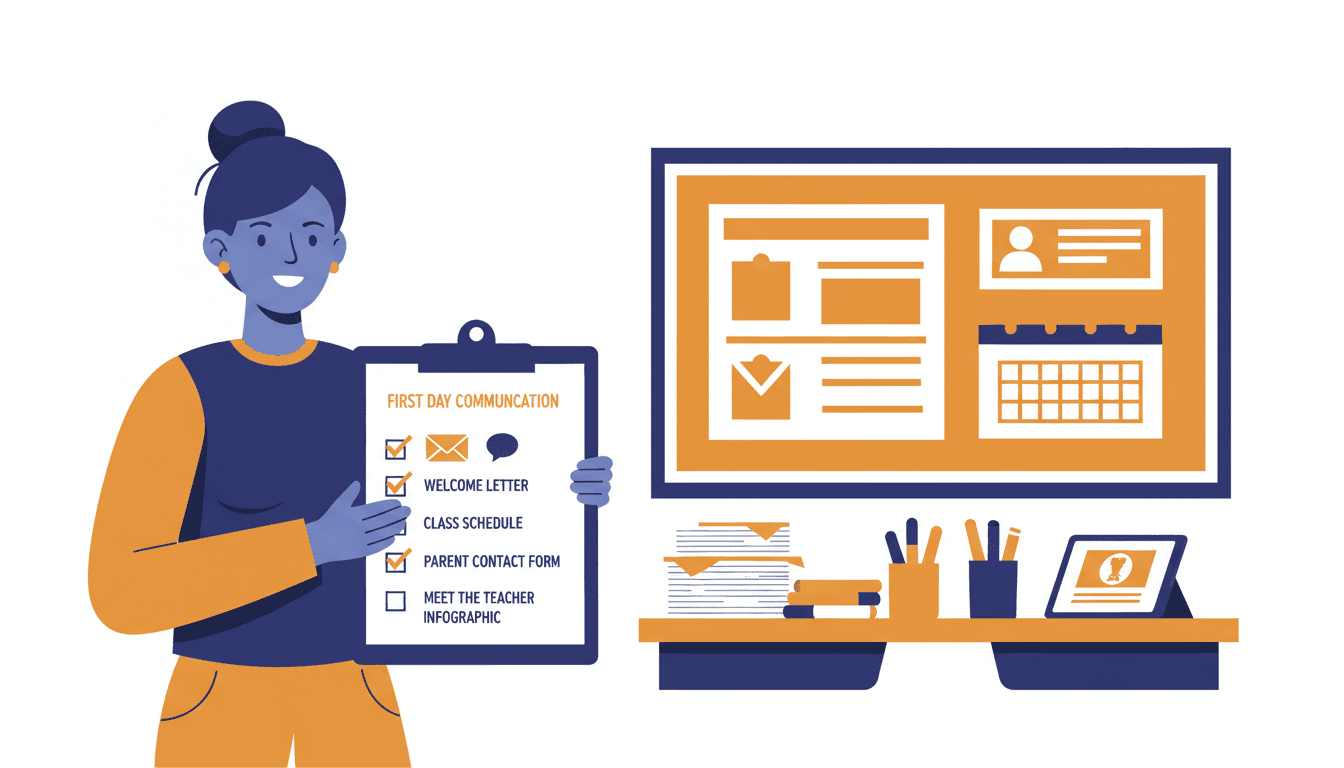
New Teacher Back-to-School Communication Checklist: Everything to Do Before Day One
The first week of school is not the time to figure out how you will communicate with parents. By that point, you are managing 25 kids who do not know your routines, paperwork you did not know existed, and a schedule that changed twice since orientation. Communication setup needs to happen before any of that starts.
This checklist covers everything to put in place before day one. Work through it in order. Each item takes less time than you think, and skipping any of them creates problems you will spend the rest of the semester untangling.
Four Weeks Out
Collect Parent Contact Information
Your school will give you a roster. Do not assume all the contact information is current. Request the roster as soon as you get your class assignment and check whether email addresses are included. If they are not, ask your school secretary or registrar how to get them. Some schools route parent communication through a student information system. Know which one your school uses before you need it.
Decide on Your Primary Communication Channel
This is the decision most new teachers skip and later regret. Choose one main channel for weekly updates before school starts. Email newsletter, school app, or a combination. Do not announce one channel and then use three. Parents who have to check multiple places will eventually check none of them.
If your school mandates a specific tool, use that tool. If you have a choice, consider email-based newsletters sent directly to parent inboxes. These do not require parents to download an app or remember a login. They show up where parents already spend time.
Set Up Your Newsletter Tool
Set it up before school starts, not after. This means creating your account, importing your parent contact list, and sending yourself a test email to confirm formatting looks right on mobile. Most parents will read your newsletter on a phone. Check that your test email is readable on a small screen before you send it to anyone else.
Tools like Daystage let you build a school newsletter and send it directly to parent email inboxes without requiring parents to click through to a separate website. Set this up early so you are not learning the interface at 9pm the night before your first newsletter goes out.
Two Weeks Out
Write and Send Your Introduction Email
Two weeks before school starts is the right window. Not one week. Not the night before. Two weeks gives families time to read it without being in back-to-school chaos, and it gives you time to handle any replies before the first day.
Keep the introduction email short. Include:
- Your name and how to pronounce it if it is not obvious
- What grade and subject you teach
- One sentence about why you chose to teach
- When and how you will communicate throughout the year
- How parents should reach you with questions
- One specific thing you are looking forward to with this group
Three to four short paragraphs. That is the entire email. Resist the urge to write more.
Prepare Your Classroom Rules Communication
Write a one-page summary of your classroom expectations that you can send home during the first week or share at back-to-school night. Do not send it before school starts. Send it after parents have met you and know a little about how your classroom works. The introduction email first, then the expectations. Order matters.
Set Your Newsletter Day and Time
Decide now: which day of the week will you send your newsletter? Most teachers choose Friday afternoon or Sunday evening. Pick one and commit to it for the full year. Write it in your introduction email so parents know when to expect updates.
One Week Out
Build Your Newsletter Template
Create a template with five sections: this week in class, coming up next week, reminders and action items, a classroom win or spotlight, and your contact information. This template will be the backbone of every newsletter you send. Having it ready means you are filling in sections each week, not building from scratch.
Draft Your First Newsletter
You cannot finish the first newsletter before school starts. But you can draft the structure and fill in everything that is already known: upcoming dates, supply requests, your contact info, the date of back-to-school night. Leave the "what we did this week" section blank and fill it in on Friday of your first week.
Prepare a Back-to-School Night Sign-In Sheet
If your school hosts a back-to-school night or curriculum night in the first few weeks, plan how you will collect parent emails there. A simple printed sheet with name and email address columns works well. Frame it as: "I send a weekly newsletter by email. Add your name here if you want to receive it."
Day One Checklist
- Send home or email your classroom rules and expectations summary
- Confirm all parent emails are loaded into your newsletter tool
- Have a physical backup (printed info sheet) ready for families who prefer paper
- Know the protocol for contacting parents who did not show up on day one
End of First Week
Send Your First Newsletter
Do not wait until week two. Send your first newsletter at the end of week one. It does not need to be long or impressive. It needs to show parents that you follow through on what you said you would do. If you told them in your introduction email that you send a Friday newsletter, send one on Friday.
Four to five short sections. Five minutes to read. Done.
The Communication Infrastructure That Carries the Year
Everything on this checklist is about building infrastructure before you need it under pressure. Teachers who set up their communication system before day one spend the rest of the year maintaining a habit. Teachers who wait until the second week spend the rest of the year catching up.
The checklist is not long. The work is not complicated. The only thing required is doing it before school starts, not after.
Get one newsletter idea every week.
Free. For teachers. No spam.
Frequently asked questions
When should new teachers start their back-to-school parent communication?
Start four weeks before school begins by confirming your email list is ready and drafting your introduction. Two weeks out, send the introduction email to all families. One week out, prepare your first-week newsletter draft so it is ready to send Friday of week one.
What should a new teacher include in their back-to-school communication checklist?
The checklist covers four phases: setting up your contact list, sending a pre-school introduction, distributing classroom expectations in week one, and launching your weekly newsletter by the end of the first week. Each phase builds the infrastructure you will rely on all year.
How should new teachers organize their communication setup before day one?
Create a parent contact list from the school roster, set up your newsletter tool, and draft your introduction email before any other communication task. Doing this in August, not September, means you are not scrambling when the year actually starts.
What do new teachers typically forget on their back-to-school communication checklist?
Most new teachers forget to confirm email addresses before the year starts, so their first newsletter bounces for a third of the class. A second gap is not preparing a follow-up for families who did not attend back-to-school night. Assume 30 to 40 percent of families will miss it and plan accordingly.
What tool helps new teachers set up their communication system before school starts?
Daystage lets you import your parent email list and create your newsletter template before school begins, so your system is ready to go from day one rather than being built on the fly in September.

Adi Ackerman
Author
Adi Ackerman is a former classroom teacher and curriculum writer with 8 years in K-8 schools. She writes about school communication, parent engagement, and what actually works in real classrooms.
More for New Teacher
First Parent-Teacher Conference Prep: How New Teachers Should Brief Families
New Teacher · 5 min read
New Teacher Student-Led Conferences: How to Prepare Families for a Different Kind of Conference
New Teacher · 5 min read
New Teacher Back-to-School Night Newsletter: What to Send Before and After
New Teacher · 5 min read
Ready to send your first newsletter?
3 newsletters free. No credit card. First one ready in under 5 minutes.
Get started free