
Managing Unsubscribes in School Newsletters: What the Law Requires and How to Retain Readers
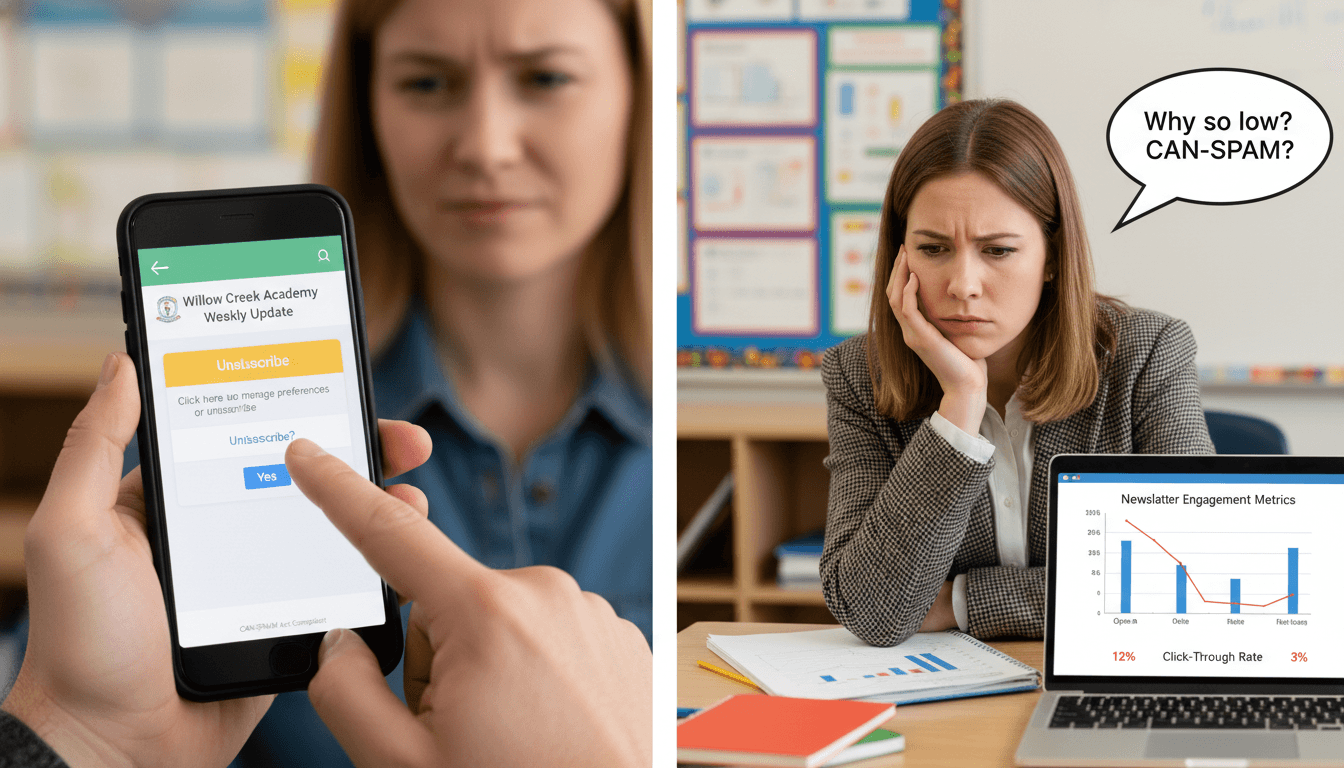
A parent unsubscribes from your school newsletter. Now what? The answer is more complicated than it looks, because it involves legal requirements, the difference between marketing email and required school communications, and the practical question of how to stay in contact with a family that does not want your emails.
What CAN-SPAM requires for school newsletters
The CAN-SPAM Act applies to commercial email. School newsletters sent by teachers and administrators occupy a gray area: they are clearly not commercial in the traditional sense, but if they are sent through a third-party newsletter tool to an opt-in list, CAN-SPAM requirements generally apply.
The key CAN-SPAM requirements relevant to school newsletters:
- Unsubscribe mechanism: Every commercial email must include a clear way to opt out. For school newsletters sent through platforms like Daystage, Smore, or Mailchimp, this is the unsubscribe link in the footer.
- Honor unsubscribes within 10 business days: Once a recipient opts out, you must stop sending them commercial emails within 10 business days. Most newsletter tools process unsubscribes immediately.
- No fee to unsubscribe: The opt-out process must be free and require no more than visiting a single web page.
- Physical address: CAN-SPAM requires a physical postal address in every commercial email. For school newsletters, this is typically the school's address in the footer.
One important distinction: "transactional" emails are exempt from CAN-SPAM. A required legal notice (an IEP meeting invitation, a disciplinary notice, an emergency communication) is not subject to the same opt-out rules as a routine class newsletter. If a parent unsubscribes from your newsletter, you can still send legally required communications.
What to do when a parent unsubscribes
When a parent unsubscribes from your newsletter, three things need to happen:
- Remove them from the newsletter list immediately. Most tools handle this automatically. Confirm that the unsubscribe went through.
- Note their preferred contact method. Reach out via the school's official communication channel (parent portal, phone call, or the school office) to understand how they want to receive non-emergency school communications. Some parents unsubscribe from email newsletters because they prefer text messages or the parent portal. Knowing this lets you stay in contact through a channel they will actually use.
- Flag their record for alternate contact. For any time-sensitive or important communication going forward, use the alternate channel. Do not rely on the newsletter to reach this family.
Do not send a re-engagement email immediately after an unsubscribe. This violates the spirit of the opt-out and will likely trigger a spam complaint.
When a parent must be reached despite unsubscribing
There are categories of school communication that cannot wait for a parent to voluntarily re-engage with email:
- IEP meeting notices and annual review documents
- Disciplinary notices and hearing invitations
- Emergency communications (school closure, safety incidents)
- Enrollment and re-enrollment deadlines
- Health and medical notices required by law
For all of these, use a channel that does not depend on newsletter subscription status. Phone calls, certified mail, parent portal messages, and SMS alerts sent through a separate school communication system are all appropriate for legally required communications.
The practical implication: schools and teachers need at least one communication channel for every family that does not depend on email newsletter subscription. This is not optional. It is a legal and ethical obligation.
Re-engagement campaigns for inactive subscribers
An inactive subscriber is different from an unsubscriber. An inactive subscriber has not unsubscribed but has not opened the newsletter in a significant period (typically 60-90 days). They may have changed email habits, changed email addresses, or simply started filtering school email into a folder they rarely check.
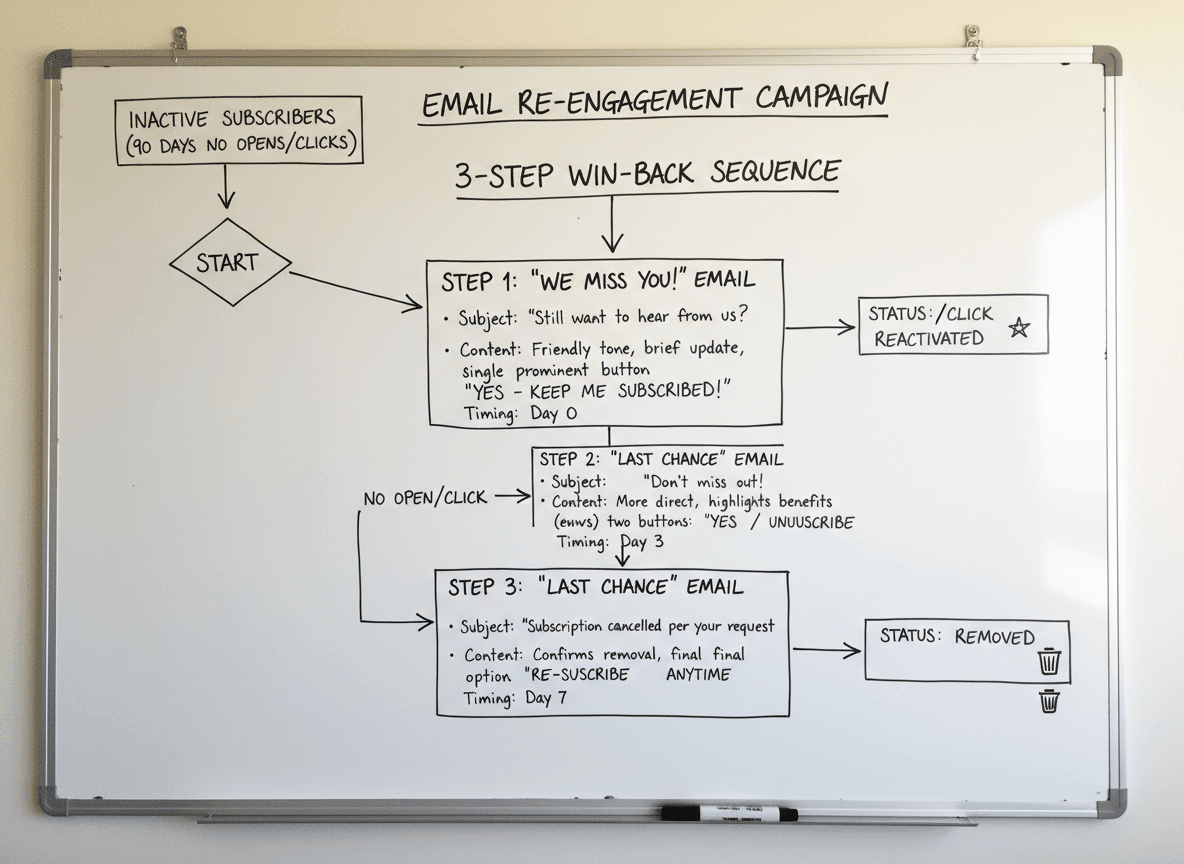
A re-engagement campaign for inactive subscribers is appropriate and different from contacting someone who explicitly opted out. A three-step sequence works well:
- Send 1 (Week 1): A newsletter that includes something genuinely high-value or surprising. Not a re-engagement prompt. Just a newsletter worth opening, with a subject line that signals something specific inside.
- Send 2 (Week 2): A direct re-engagement email with a subject line like "Still want updates from Room 12?" or "Are you still interested in 4th grade news?" with a simple one-click "Yes, keep me subscribed" link and a clear unsubscribe option. This is transparent and respectful.
- Send 3 (Final): If there is still no engagement after Send 2, send a final "We're removing you from our list" notice with the option to re-subscribe. Then remove them.
Removing unengaged contacts from your list improves deliverability for everyone on the list. Sending repeatedly to addresses that never open your email damages your sender reputation over time.
Multi-channel backup for essential communication
The cleanest solution to the unsubscribe problem is to build redundancy into your communication strategy from the start. Do not rely on a single email newsletter as the only channel for important information.
A practical backup stack for classroom teachers:
- Email newsletter: Primary channel for weekly updates, event reminders, and learning summaries.
- School parent portal: Archive of important documents, grades, and official records. Families who do not use email often check the portal.
- SMS or app notification: For time-sensitive reminders (tomorrow's field trip, early dismissal, school closure). Not for newsletter content.
- Paper backup: For families with limited digital access or those who have opted out of all electronic communication, important documents sent home with students remain the most reliable fallback.
Daystage manages unsubscribes automatically and maintains a clean subscriber record, so you always know which families are on the active list and which need alternate contact. The send history shows when each subscriber last engaged, which makes identifying inactive contacts for re-engagement straightforward.
Preventing unsubscribes before they happen
The most effective unsubscribe management is sending newsletters that parents do not want to stop receiving. This sounds obvious, but it has practical implications.
The most common reasons parents unsubscribe from school newsletters: too frequent with too little value, inconsistent send times (parents lose the habit of reading them), and content that is already available through other channels without any additional context.
Address all three: find the right frequency for your grade level, send at a consistent time, and make sure every newsletter contains at least one piece of information a parent cannot get anywhere else. That combination makes the newsletter worth keeping.
Get one newsletter idea every week.
Free. For teachers. No spam.
Frequently asked questions
When can a teacher remove a parent from the school newsletter list after an unsubscribe request?
Remove unsubscribed parents from the newsletter list within 10 business days, which is the CAN-SPAM requirement. Most newsletter tools process unsubscribes immediately. Once a parent unsubscribes, do not add them back to the newsletter list without explicit re-consent, even if you switch tools or rebuild your subscriber list from an enrollment spreadsheet.
What should a school newsletter unsubscribe process include to stay CAN-SPAM compliant?
Every commercial email including school newsletters must include a visible unsubscribe mechanism, a physical address or school address, and the sender's identity. CAN-SPAM requires that unsubscribe requests be honored within 10 business days. For transactional emails, like required school notices, a different legal basis applies. Talk to your district counsel if you are unsure which category your newsletters fall under.
How should teachers handle a parent who unsubscribes but still needs to receive required school communications?
Keep a separate contact record for required notifications outside your newsletter tool. Required communications about safety, enrollment, and legal notices are not subject to unsubscribe requests because they are transactional, not marketing. Maintain a separate list for required school communications and only use the newsletter for opt-in content.
What are common unsubscribe management mistakes schools make with newsletter lists?
Re-adding unsubscribed parents when importing an updated enrollment spreadsheet is the most common technical mistake. If your subscriber import does not check against an unsubscribe suppression list, you will accidentally re-add parents who opted out. Another mistake is removing parents from required school communication lists when they unsubscribe from the newsletter.
What is the best tool for teachers who want unsubscribe management that stays compliant automatically?
Daystage processes unsubscribes immediately when parents click the unsubscribe link and maintains a suppression list. If you reimport your subscriber list, the tool checks the suppression list and does not re-add parents who previously unsubscribed. This prevents the most common accidental CAN-SPAM violation in school newsletter management.

Adi Ackerman
Author
Adi Ackerman is a former classroom teacher and curriculum writer with 8 years in K-8 schools. She writes about school communication, parent engagement, and what actually works in real classrooms.
More for Guides
Ready to send your first newsletter?
3 newsletters free. No credit card. First one ready in under 5 minutes.
Get started free