
School Newsletter Automation: What You Can Set and Forget (And What You Shouldn't)
Automation is not about removing the human from school communication. It is about removing the repetitive mechanical work so the human can focus on the parts that actually require judgment. For school newsletters, this distinction matters. Get it right and you save hours per month while maintaining quality. Get it wrong and you end up with communication that feels robotic when parents need warmth and connection.
What automation is actually solving
The time cost of school newsletters is not the writing. Most teachers can write a weekly classroom newsletter in 20 to 30 minutes once they know what to say. The time cost is everything around the writing: managing the subscriber list, handling unsubscribes, scheduling delivery, formatting the email so it renders correctly on every device, and making sure the newsletter ends up in inboxes rather than spam folders.
These mechanical tasks are exactly what automation handles well. None of them require human judgment. All of them add up to significant time when done manually across a school year.
What you can set and forget
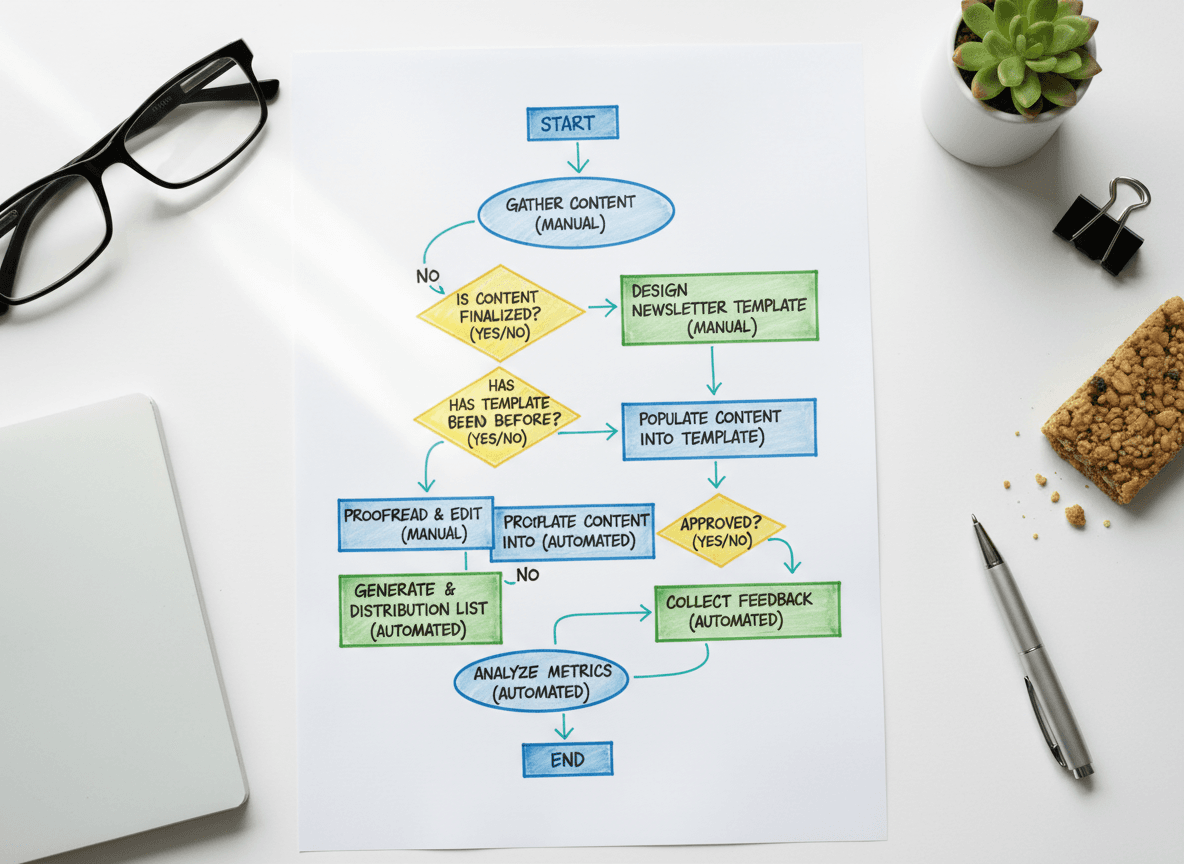
These tasks can be automated completely with no loss of quality:
- Unsubscribe handling: When a parent unsubscribes, that preference should be recorded and respected automatically. No manual list management needed.
- Welcome emails: A welcome email to new subscribers when they join your newsletter list can be set up once and sent automatically every time. It should introduce the newsletter, tell parents what to expect, and give them your contact information.
- Delivery scheduling: Setting your newsletter to send every Monday at 7am requires no manual intervention once the schedule is configured. The newsletter goes out at the same time every week without you thinking about it.
- Email formatting and rendering: Good newsletter tools handle the technical work of making your email render correctly in Gmail, Apple Mail, and Outlook without you managing the HTML. This is background automation that saves hours of troubleshooting.
- Bounce handling: Invalid email addresses should be flagged and removed from your list automatically. Following up manually on bounced emails is not a good use of teacher time.
What must stay manual
These parts of the newsletter should never be automated:
- The content itself: What happened in the classroom this week, what the class is learning, what parents need to know, the tone and warmth of the opening paragraph. These require a human who was actually in the room.
- Photo selection: Which photos to include, whether children in the photos have current consent forms, and whether a photo captures a moment parents will connect with. This is a judgment call that automation cannot make.
- Tone calibration: If something hard happened in the classroom or in the community this week, the newsletter tone needs to shift accordingly. Automation does not know what happened. You do.
- Response to replies: When a parent replies to the newsletter with a question or concern, that response needs to come from you. An automated reply to parent questions breaks trust quickly.
The AI-assist middle ground
Between full automation and fully manual writing, there is a middle ground worth understanding: AI-assisted drafting. Tools that can draft a newsletter from a set of bullet points or generate a first draft based on your curriculum notes fall into this category. The draft still requires your review, editing, and personal additions. But the blank page problem is removed.
Daystage includes an AI draft feature that works this way. You provide the key points for the week, and it produces a draft. You review, edit, and add personal details before sending. The AI handles the structure and initial wording. You handle the judgment, tone, and accuracy. This middle ground captures the time savings of automation while keeping the parts that require your voice firmly in your hands.
Consistency as the hidden benefit of automation
The most underappreciated benefit of automation is consistency. When delivery scheduling is automated, the newsletter goes out at the same time every week whether you are in a meeting, dealing with a difficult situation, or simply forgot what day it is. When the template is locked in, the structure does not drift week to week based on how much time you had.
Parents notice consistency. A newsletter that arrives reliably at the same time every week becomes part of their routine. One that arrives randomly, sometimes Monday and sometimes Thursday, gets treated as unpredictable and eventually gets ignored.
Automation is the infrastructure that makes consistency possible even during the most demanding weeks of the school year.
How much time automation actually saves
Teachers who switch from manually managing subscriber lists and scheduling to a platform that handles these tasks automatically report saving two to four hours per month. That is not a dramatic number in isolation. But over a 10-month school year, it is 20 to 40 hours: roughly a full work week returned to teaching, planning, or rest.
The time savings are not from writing faster. They come from eliminating the tasks that surround writing: updating the subscriber list when a family moves, remembering to schedule the send, reformatting the email when a section runs long, and troubleshooting why last week's issue went to spam.
The rule for automation decisions
When you are deciding whether to automate something, ask: would a parent notice if a machine did this instead of me? If the answer is no, automate it. Scheduling a send, processing an unsubscribe, and formatting HTML are tasks parents never see. If the answer is yes, a parent would notice if this was automated, keep it manual. The opening paragraph, the classroom highlight, the photo choice: those are the parts that tell parents a real person is communicating with them. That matters too much to hand off.
Get one newsletter idea every week.
Free. For teachers. No spam.
Frequently asked questions
When should teachers automate parts of their school newsletter workflow?
Automate structural and scheduling decisions, not content. Setting a consistent send day and time is worth automating because consistency drives habit for parents. Automated welcome emails for new subscribers are also worth setting up. Do not automate the actual content of your newsletter because classroom information changes weekly.
What parts of a school newsletter workflow can be automated?
You can automate the send schedule once content is ready, new subscriber welcome emails, duplicate newsletter creation as a weekly starting point, and reminder notifications to write the newsletter. The content itself, including this week's learning topics, event dates, and specific reminders, cannot be automated because it is different every week.
How much time does newsletter automation actually save teachers?
Consistent automation of send scheduling and template duplication saves 5 to 10 minutes per newsletter. That adds up to 3 to 6 hours across a school year. The larger time savings come from having a reliable structure rather than starting from a blank layout each week. Automation and structure together make the process predictable.
What are common mistakes teachers make when trying to automate their newsletter?
Trying to automate the content itself is the most common mistake. Teachers sometimes set up auto-generated newsletters hoping to skip writing entirely. The result is newsletters that feel impersonal because they lack the specific classroom details that make parents feel connected. Automate structure and scheduling, not substance.
What is the best tool for teachers who want to automate the repetitive parts of their newsletter workflow?
Daystage supports scheduled sending and one-click newsletter duplication. You build your template once, duplicate it each week, update the content, and send at a preset day and time. Daystage also sends automated welcome emails to new subscribers when they join your list.

Adi Ackerman
Author
Adi Ackerman is a former classroom teacher and curriculum writer with 8 years in K-8 schools. She writes about school communication, parent engagement, and what actually works in real classrooms.
More for Guides
School Newsletters for Special Education Teachers: What to Include and What to Keep Private
Guides · 6 min read
Daystage vs. Mailchimp for School Newsletters: Why Schools Need a Dedicated Tool
Guides · 8 min read
School Newsletter Communication During a Crisis Recovery: A 30-Day Guide
Guides · 7 min read
Ready to send your first newsletter?
3 newsletters free. No credit card. First one ready in under 5 minutes.
Get started free