

School Newsletter Analytics: How to Measure What Parents Actually Read
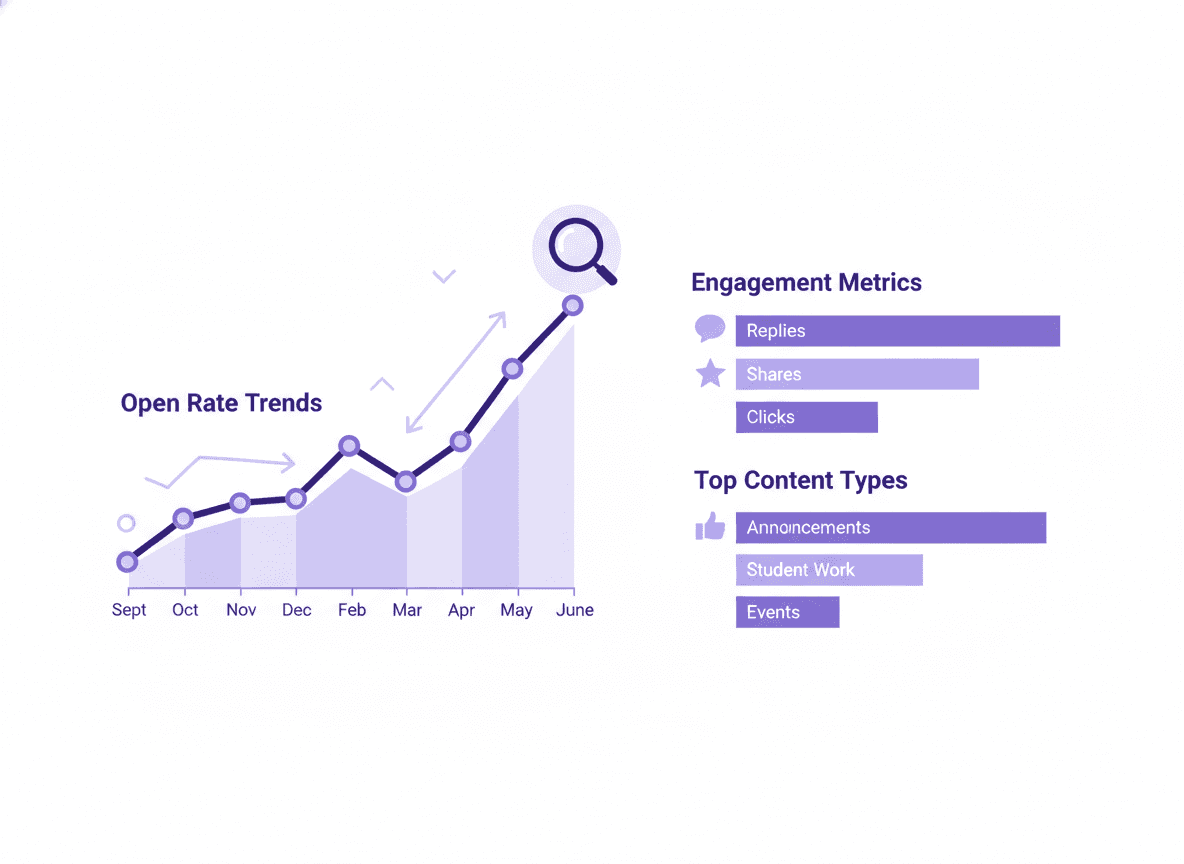
Most school newsletter tools show some form of analytics. Many teachers glance at the open rate number and move on. With a little more attention, newsletter analytics tell you exactly which content parents read, which issues they ignored, and whether your newsletter is actually reaching inboxes. This guide explains the numbers and what to do with them.
The three metrics that matter for school newsletters
Open rate
Open rate is the percentage of delivered emails that were opened at least once. If you sent to 100 parents and 55 opened the email, your open rate is 55%.
What counts as a good open rate for school newsletters? Much higher than commercial email. Marketing email averages around 20-25% open rates. School newsletters, when delivered to a list of parents who opted in and want classroom updates, regularly see 50-70% open rates. Below 40% is a signal that something is wrong: deliverability issues, a subscriber list with many stale addresses, or a subject line that is not working.
One important caveat: open rate tracking uses an invisible pixel that loads when the email is opened. Email clients with image blocking (some Outlook configurations, Apple's Mail Privacy Protection) may not load the pixel, making the open rate look lower than actual. True open rates are often 5-10 percentage points higher than what the analytics tool reports.
Click rate
Click rate is the percentage of recipients who clicked at least one link in the newsletter. Relevant only if your newsletter contains links. A newsletter with no links will have a 0% click rate regardless of how many parents read it.
If you include links to permission slips, Google Forms, class calendars, or reading resources, click rate tells you whether parents are engaging with those links. A "sign up for parent conferences" link in the newsletter with a 15% click rate means 15% of your subscribers signed up directly from the email.
For school newsletters, a 5-15% click rate on any individual link is strong. If a critical action item link (permission slip, sign-up form) has a very low click rate, consider whether the link is visible enough, whether the action item description is clear, or whether the deadline is creating urgency.
Bounce rate
Bounce rate is the percentage of emails that could not be delivered. Hard bounces (permanent failures) happen when an email address does not exist. Soft bounces (temporary failures) happen when the recipient's inbox is full or the server is temporarily unavailable.
High bounce rates (above 5-10%) usually mean your subscriber list has stale or incorrect email addresses. This happens when families move, change email addresses, or when addresses were entered incorrectly at enrollment.
A high bounce rate also affects your sender reputation, which can push future newsletters to spam. Clean bounced addresses from your list regularly. Most newsletter tools, including Daystage, handle this automatically by flagging hard bounces and suppressing those addresses from future sends.
Secondary metrics worth watching
Unsubscribe rate: The percentage of recipients who unsubscribed after an issue. A sudden spike in unsubscribes after a specific newsletter is a signal that the content was off-putting, off-topic, or too frequent. A consistent 0.2-0.5% unsubscribe rate across every issue is normal churn. Much higher is worth investigating.
Open rate trend over time: More useful than any single open rate number. If your open rate has been 60-65% for six months and suddenly drops to 40%, something changed. Common causes: subject line stopped being specific, newsletter got longer and parents stopped reading, send day changed, or a spam filter started catching the newsletter.
How to use analytics to improve newsletters
Test subject lines. Send the same newsletter content with two different subject lines to two halves of your list and see which gets a higher open rate. Even one test per month will tell you whether specific subject lines (date + action item) outperform generic ones (month + "newsletter").
Note which issues get higher opens. Over a school year, you will see patterns. Issues with field trip information, supply requests for specific supplies, or photo-heavy newsletters often get higher opens. Issues with predominantly routine information get lower opens. Adjust content accordingly.
Check analytics on the same day each week. Looking at analytics the day after sending gives you a reliable picture of first-day engagement. Most parents who open a newsletter do so within 24-48 hours of receiving it.
What to do if open rates are low
If your newsletter open rates are consistently below 40%, work through this list:
- Check whether newsletters are landing in spam by asking 2-3 parents to check their spam folder for the last few issues.
- Send a test email to yourself and verify the newsletter arrives as inline content, not a link. Link-based delivery has lower open rates because parents who open the "wrapper" email often do not click through.
- Review your subject lines. Are they specific? Do they include dates and action items?
- Check your subscriber list for obvious stale addresses (company email addresses that may have changed, addresses with typos).
- Consider whether you are sending too frequently. Weekly is right for most classrooms. More than weekly is too much for most parent email habits.
Daystage analytics
Daystage provides open rates, click rates, bounce counts, and unsubscribe counts for every newsletter. The analytics dashboard shows trends across multiple issues so you can see whether your open rate is stable, improving, or declining. For most classroom teachers, this level of detail is sufficient to diagnose and fix newsletter performance issues.
Because Daystage delivers newsletters as inline HTML email rather than links to a hosted page, the open rate tracking is based on email opens directly, without the click-through step that distorts analytics in link-based newsletter tools.
The bottom line
Open rate, click rate, and bounce rate are the three numbers that matter for most classroom newsletters. Check them after each send, look for trends over months rather than reacting to single-issue fluctuations, and use the data to improve subject lines and content over time. The teachers who improve newsletter engagement fastest are the ones who look at their analytics consistently.
Get one newsletter idea every week.
Free. For teachers. No spam.
Frequently asked questions
When should teachers start reviewing their school newsletter analytics?
Review analytics starting with your second or third newsletter, not your first. The first newsletter often gets inflated open rates from novelty. By the third send, you have a realistic baseline. Check analytics within 48 hours of sending, when most opens have occurred.
What analytics metrics matter most for school newsletters?
Open rate, click rate, and bounce rate are the three core metrics. Open rate tells you whether parents are reading. Click rate tells you whether they engaged with a specific link or action item. Bounce rate tells you whether your subscriber list has outdated addresses that need to be cleaned. For school newsletters, a healthy open rate is 40 to 60 percent.
How often should teachers review newsletter analytics to improve their communication?
Review send-by-send data monthly, not weekly. Looking at individual newsletters in isolation produces misleading conclusions. A monthly review across 4 to 5 sends shows patterns in subject line performance, click behavior, and list health that a single send does not reveal.
What are common mistakes teachers make when interpreting school newsletter analytics?
Comparing school newsletter open rates to general email marketing benchmarks is a common mistake. School newsletters have a naturally higher engaged audience than commercial emails. An open rate that looks average by marketing standards may actually be underperforming for school communication. Use school-specific benchmarks of 40 to 60 percent as your reference point.
What is the best tool for teachers who want built-in analytics for their school newsletters?
Daystage includes open rate and click tracking in the free plan. After each send, you can see which parents opened the newsletter and which links were clicked. This data is visible immediately after sending without any additional configuration.

Adi Ackerman
Author
Adi Ackerman is a former classroom teacher and curriculum writer with 8 years in K-8 schools. She writes about school communication, parent engagement, and what actually works in real classrooms.
More for Guides
Ready to send your first newsletter?
3 newsletters free. No credit card. First one ready in under 5 minutes.
Get started free