

School Communication Platform Comparison: Newsletter, App, LMS, or All Three?
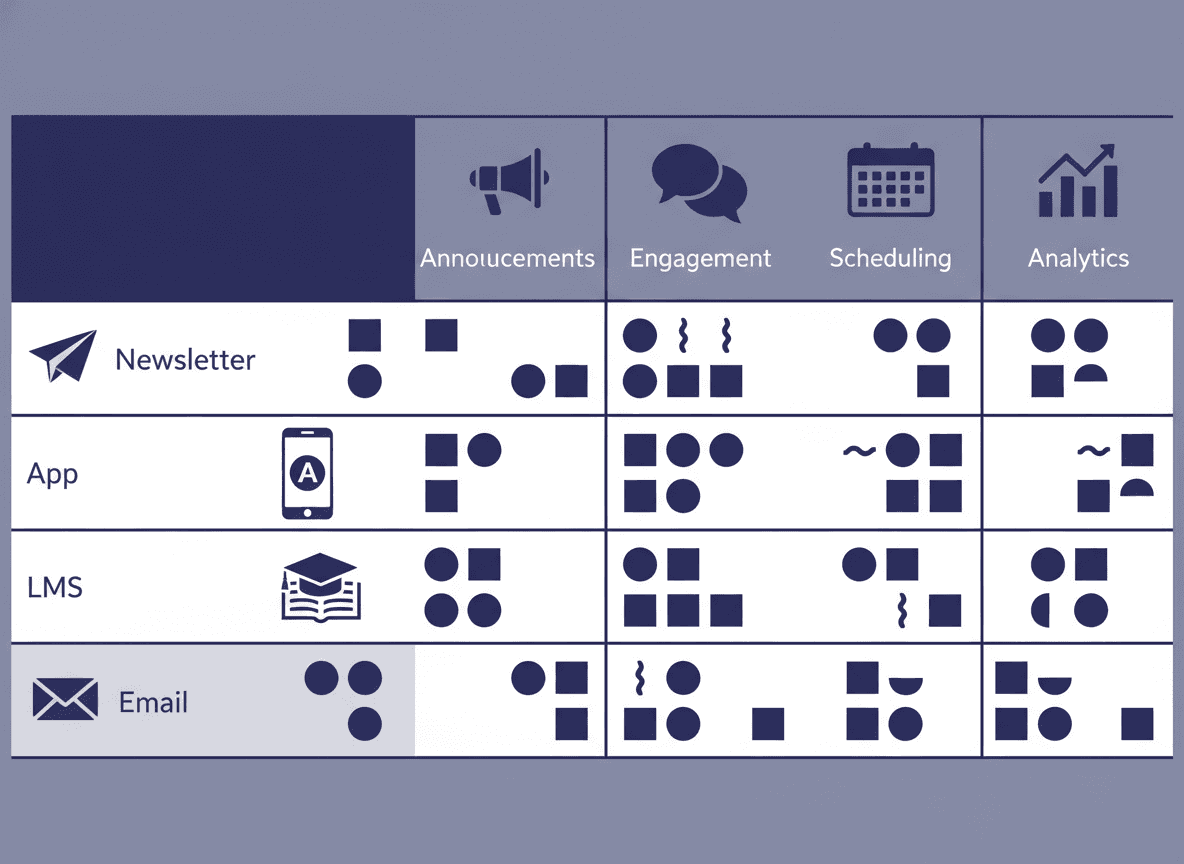
The average school uses too many communication tools. Teachers send messages in Remind, post photos to ClassDojo, update the LMS with assignments, and wonder why parents complain about missing information. The problem is not that schools communicate too much. It is that school communication is scattered across platforms designed for different purposes.
This guide maps the main types of school communication tools, what each is built for, and how to combine them without creating tool overload.
The four types of school communication tools
Most school communication tools fall into one of four categories. Understanding the category helps you evaluate whether a tool fits the job.
1. Newsletter tools: Tools for sending structured, formatted newsletters to parent email inboxes. Examples: Daystage, Smore. Best for: weekly classroom updates, monthly school-wide newsletters, structured information parents need to reference. Delivery: email.
2. Messaging apps: Tools for real-time, short-form messaging between teachers and parents (and sometimes students). Examples: Remind, ClassDojo messaging, Talking Points. Best for: urgent updates, time-sensitive changes, two-way conversation. Delivery: push notification, SMS, or in-app message.
3. Learning management systems (LMS): Platforms that manage curriculum, assignments, grades, and classroom resources. Examples: Google Classroom, Canvas, Schoology, Seesaw. Best for: assignment management, grade visibility, student work submission. Parent access: usually a separate parent portal view with limited functionality.
4. Social feed platforms: Tools that combine classroom updates, photos, and messaging in a social media-style interface. Example: ClassDojo. Best for: sharing in-the-moment classroom photos and quick updates in a familiar format. Requires: parent app installation and account creation.
Where tools overlap and where they conflict
The overlap creates confusion for parents. ClassDojo has a messaging feature, a class story feed, and a newsletter feature. Remind sends messages and can send longer formatted updates. Google Classroom has announcement features that look somewhat like newsletters. When every tool tries to do everything, parents do not know where to look for which information.
The most functional school communication setups establish clear rules about which tool handles which type of communication:
- Urgent messages: Remind or ClassDojo messaging
- Weekly structured newsletter: dedicated newsletter tool (Daystage)
- Assignment and grade information: LMS parent portal
- Classroom photo sharing: ClassDojo or Seesaw
When these distinctions are clear, parents know that if they missed a field trip reminder they should check the newsletter, and if the game location changed they should check Remind. Clarity reduces the "I didn't know about that" complaints.
The app adoption problem
Every tool that requires parents to download a separate app and create an account has an adoption ceiling. Schools with strong ClassDojo programs typically see 70-85% family adoption. Remind programs achieve similar numbers. But that remaining 10-30% of families who did not complete setup miss everything sent through that channel.
Email does not have this problem. Every family enrolled in a school provides an email address. If your newsletter reaches parents in email, it reaches the full list. This is why newsletter tools that deliver to email rather than requiring app installation have higher effective reach than app-based communication platforms.
Daystage delivers newsletters as inline HTML email. No app, no account, no second step for parents. The newsletter is in their inbox. This is the communication channel with the highest coverage across diverse parent populations.
The LMS gap
Many administrators assume that if they have an LMS, parents have access to all the information they need. This is not accurate for most LMS platforms. Parent portal access in Google Classroom, Canvas, and similar systems is primarily designed for grade and assignment visibility, not for weekly communication.
LMS announcements are buried inside the platform, not pushed to parent inboxes. Parents who do not proactively check the LMS miss announcements. The LMS handles curriculum management well. It does not replace a dedicated newsletter tool for regular parent communication.
How to reduce tool overload
If your school is using more than three communication channels regularly, the communication system has a complexity problem. Some practical reductions:
Consolidate messaging and social into one tool. If you use both Remind and ClassDojo for messaging, pick one. They do similar jobs. The second one creates confusion about where parents should look.
Stop using the LMS announcement feature for weekly communication. Use it for assignment and curriculum announcements. Use a newsletter tool for weekly updates. These are different audiences and different formats.
Make the newsletter the single source of scheduled information. Upcoming events, dates, reminders, and logistics belong in the newsletter. Parents who read the newsletter have everything they need. Remind and ClassDojo handle the urgent exceptions.
What "all three" looks like when it works
The combination that works for most classroom teachers:
- Daystage for weekly newsletters (the primary scheduled communication channel)
- Remind or ClassDojo messaging for same-day urgent updates
- Google Classroom or another LMS for assignment and grade management
Three tools, clearly differentiated. Parents know where to look for each type of information. Teachers know which tool to use for each communication type. No duplication, no confusion.
The bottom line
Most schools do not need fewer tools. They need clearer purpose for each tool they use. A newsletter tool, a messaging app, and an LMS can coexist well when each has a specific job and teachers communicate those roles to families at the start of the year.
If your school's current newsletter communication is scattered across multiple tools with no clear owner, picking a dedicated newsletter tool and making it the single scheduled communication channel is the highest-leverage fix. Daystage's free plan is a starting point that requires no procurement decision. A classroom teacher can start using it this week.
Get one newsletter idea every week.
Free. For teachers. No spam.
Frequently asked questions
When should a school add a dedicated newsletter tool if they already have an LMS and a messaging app?
Add a newsletter tool when you notice that structured weekly updates are being sent as plain text emails, LMS announcements parents rarely open, or app messages that get lost in notification streams. Newsletter tools solve the problem of formatted, recurring communication that parents can reference. LMS and messaging apps are not designed for this.
What should schools look for when comparing communication platforms?
Evaluate reach (does it work without an app?), format (can it handle structured recurring content?), compliance (is it FERPA-compliant?), and delivery (does it go to email inboxes or require a platform login?). No single platform covers all school communication needs, so the evaluation should identify which gaps each tool fills.
How do schools decide how many communication tools to use without creating parent confusion?
Use one tool for each distinct job: newsletters for weekly formatted updates, an LMS for coursework and grades, and a messaging app for time-sensitive direct communication. Three distinct tools with clear purposes create less confusion than two tools that overlap in function. Announce your tool choices at the start of the year.
What are common mistakes schools make when evaluating communication platforms?
Evaluating tools based on feature lists rather than actual usage patterns is the most common mistake. A platform with 20 communication features that teachers never adopt does not improve parent communication. Choose tools based on what teachers will actually use weekly, not what looks comprehensive in a vendor demo.
What is the best tool for schools that want a dedicated newsletter platform alongside their existing LMS and messaging tools?
Daystage focuses specifically on email newsletters and does not try to replace messaging apps or LMS platforms. This makes it a clean addition to an existing communication stack rather than a competing product. Teachers use it for weekly formatted updates while keeping other tools for their intended purposes.

Adi Ackerman
Author
Adi Ackerman is a former classroom teacher and curriculum writer with 8 years in K-8 schools. She writes about school communication, parent engagement, and what actually works in real classrooms.
More for Guides
HIPAA, FERPA, and School Newsletters: What Teachers and Administrators Must Know
Guides · 8 min read
School Newsletters for Special Education Teachers: What to Include and What to Keep Private
Guides · 6 min read
Daystage vs. Mailchimp for School Newsletters: Why Schools Need a Dedicated Tool
Guides · 8 min read
Ready to send your first newsletter?
3 newsletters free. No credit card. First one ready in under 5 minutes.
Get started free