

Daystage vs. ClassDojo: Choosing the Right Parent Communication Tool for Your School
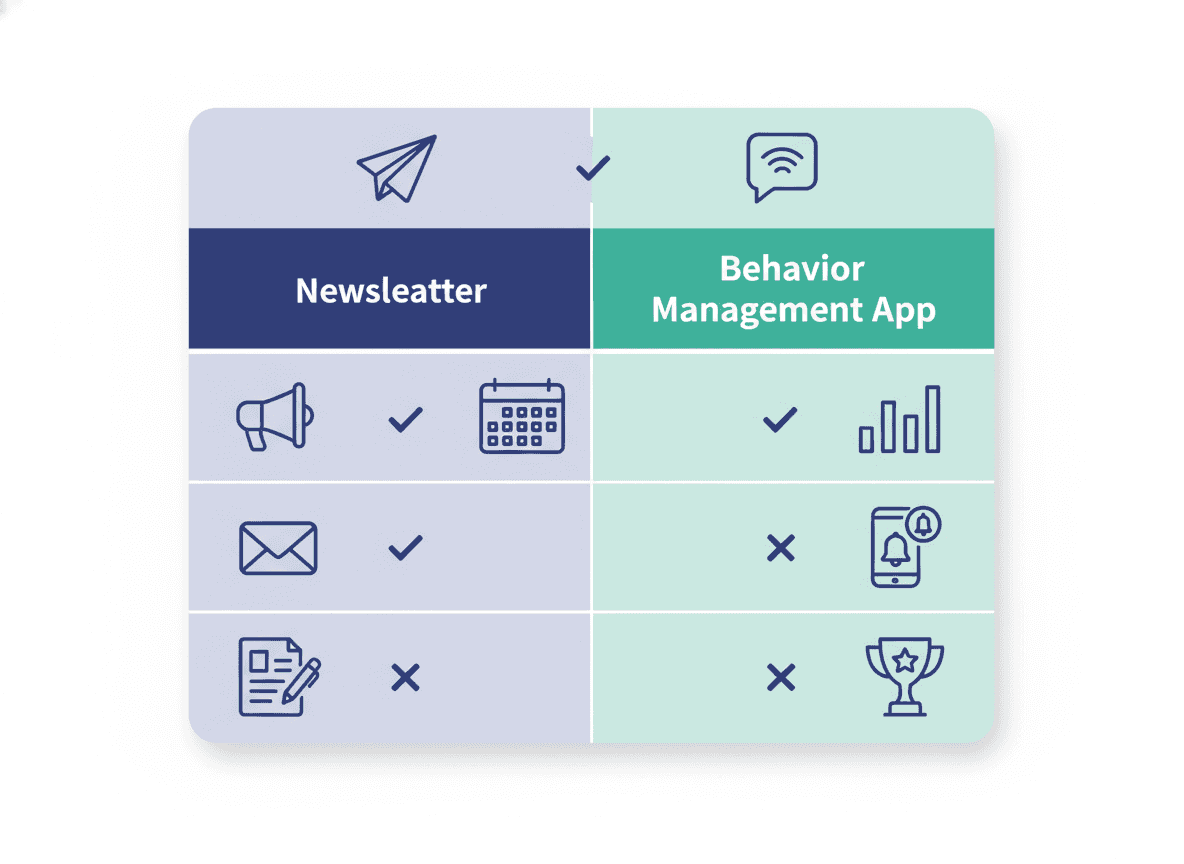
ClassDojo is one of the most widely adopted parent communication platforms in K-8 schools. Daystage is a school newsletter tool. The comparison is worth making because teachers who use ClassDojo often wonder whether they still need a separate newsletter tool. The answer depends on what they are actually trying to communicate.
What ClassDojo is built for
ClassDojo started as a behavior tracking tool and has grown into a broad classroom platform covering messaging, photo sharing, class story posts, student portfolios, and more. Its strength is real-time, relationship-oriented communication between teachers and families. Parents see photos from the classroom, get behavior updates, and can message teachers directly through the app.
ClassDojo is very good at making classroom life visible to parents in a social-media-style feed. The photos are easy to share, the app is familiar, and many schools have achieved high parent adoption because ClassDojo has invested heavily in onboarding.
What ClassDojo is less suited for: structured, scannable newsletters with distinct sections, upcoming event summaries, and content that parents can reference later. The class story feed is chronological and social. It is not organized for "here is everything you need to know this week in one document."
What Daystage is built for
Daystage is specifically a school newsletter tool. It handles structured weekly or monthly newsletters with headings, bullet lists, event dates, images in layout, and a consistent format that parents learn to expect. The newsletter arrives as an inline HTML email. Parents open Gmail or Apple Mail and the formatted newsletter is there, no app required.
The key design decision behind Daystage is that newsletters should arrive in email, where parents already are, rather than requiring them to open a separate app to find the content. For classroom updates that parents need to reference throughout the week, email works better than a social feed.
The app dependency question
ClassDojo requires parents to download an app and create an account. Most schools with strong ClassDojo programs achieve 70-85% parent adoption. That leaves 15-30% of families who either did not complete setup or stopped using the app. Those families miss everything posted to ClassDojo.
Daystage newsletters go to email, which every parent already uses. There is no app to install, no account to create. If a parent has an email address, they receive the newsletter. The coverage is effectively 100% of families who provided an email at enrollment.
This is a meaningful difference for schools that want to ensure every family receives critical information, not just the families who adopted a particular app.
Content format and reference value
ClassDojo posts work well for photos, quick updates, and in-the-moment sharing. They are designed to be consumed in a feed and are not organized for reference. If a parent wants to know what field trip is coming next Thursday, they scroll through the class story to find that post.
A Daystage newsletter has a "Upcoming Events" section, a "This Week in Class" section, and a "Reminders" section. Parents scan the newsletter once on Monday and have everything organized. The email stays in their inbox as a reference. This format works better for information parents need to act on, such as permission slip deadlines, supply requests, and schedule changes.
Privacy considerations
ClassDojo's student portfolio and photo-sharing features involve student data and images, which raises FERPA and COPPA considerations. Some districts have restricted or banned ClassDojo for this reason.
Daystage newsletters handle subscriber email addresses and basic send/open analytics. There is no student behavioral data involved. The privacy footprint is closer to a standard email marketing tool than to a student data platform.
When to use each tool
Use ClassDojo when:
- Your school already has strong ClassDojo adoption and infrastructure
- You want to share photos from the classroom throughout the week
- You want two-way messaging with individual families
- Your district approves ClassDojo for student data use
Use Daystage when:
- You want a weekly structured newsletter that reaches 100% of families via email
- You need an organized, scannable format for events, reminders, and updates
- Parents should be able to reference the newsletter throughout the week
- Your district has concerns about student data on third-party platforms
Do you need both?
Many teachers use ClassDojo for real-time sharing and Daystage for the structured weekly newsletter. The tools serve different communication functions. If your school requires ClassDojo, that does not mean the weekly newsletter goes away. It means the newsletter is the one place where everything is organized for the week ahead.
The bottom line
ClassDojo excels at real-time, social-style parent engagement. Daystage excels at structured, email-delivered newsletters that reach every family without requiring an app. Most schools benefit from having both. If you only have capacity for one, choose based on whether you prioritize in-the-moment sharing or structured weekly communication.
Daystage's free plan covers a full school year of weekly newsletters. No credit card, no app for parents to install. Try it alongside whatever you currently use and see whether the structured newsletter format improves parent engagement with the content that matters most.
Get one newsletter idea every week.
Free. For teachers. No spam.
Frequently asked questions
When should a school choose Daystage over ClassDojo for parent communication?
Choose Daystage when your primary goal is sending structured weekly newsletters that parents can read in their email inbox without downloading an app. ClassDojo requires app adoption, which creates a built-in gap for families who do not install or maintain it.
What does ClassDojo include that Daystage does not, and vice versa?
ClassDojo includes in-app messaging, behavior tracking, a class story feed, and direct parent-teacher messaging. Daystage focuses on structured email newsletters with branding, open rate analytics, and subscriber management. They are designed for different communication jobs, not the same one.
How do ClassDojo and Daystage compare on reaching families who do not use smartphones?
Daystage delivers newsletters as email, which reaches any parent with an email address regardless of whether they have a smartphone or have downloaded an app. ClassDojo requires parents to install and maintain the app to receive communications, which excludes families with limited data plans or older devices.
What are common mistakes schools make when deciding between ClassDojo and Daystage?
Treating the two tools as direct substitutes is the main mistake. ClassDojo is a behavior and direct messaging platform. Daystage is a newsletter tool. Schools that use ClassDojo for newsletters often find that the format is too informal for reference information parents need to save, like event dates and permission slip deadlines.
What is the best tool for teachers who want to send parent newsletters by email without requiring app downloads?
Daystage is built specifically for email newsletters and does not require parents to download or maintain any app. You set up your school profile, build your newsletter, and it lands directly in the parent's inbox in a clean, readable format.

Adi Ackerman
Author
Adi Ackerman is a former classroom teacher and curriculum writer with 8 years in K-8 schools. She writes about school communication, parent engagement, and what actually works in real classrooms.
More for Guides
Ready to send your first newsletter?
3 newsletters free. No credit card. First one ready in under 5 minutes.
Get started free