
How to Translate School Newsletters Accurately (Without Hiring a Translator Every Week)
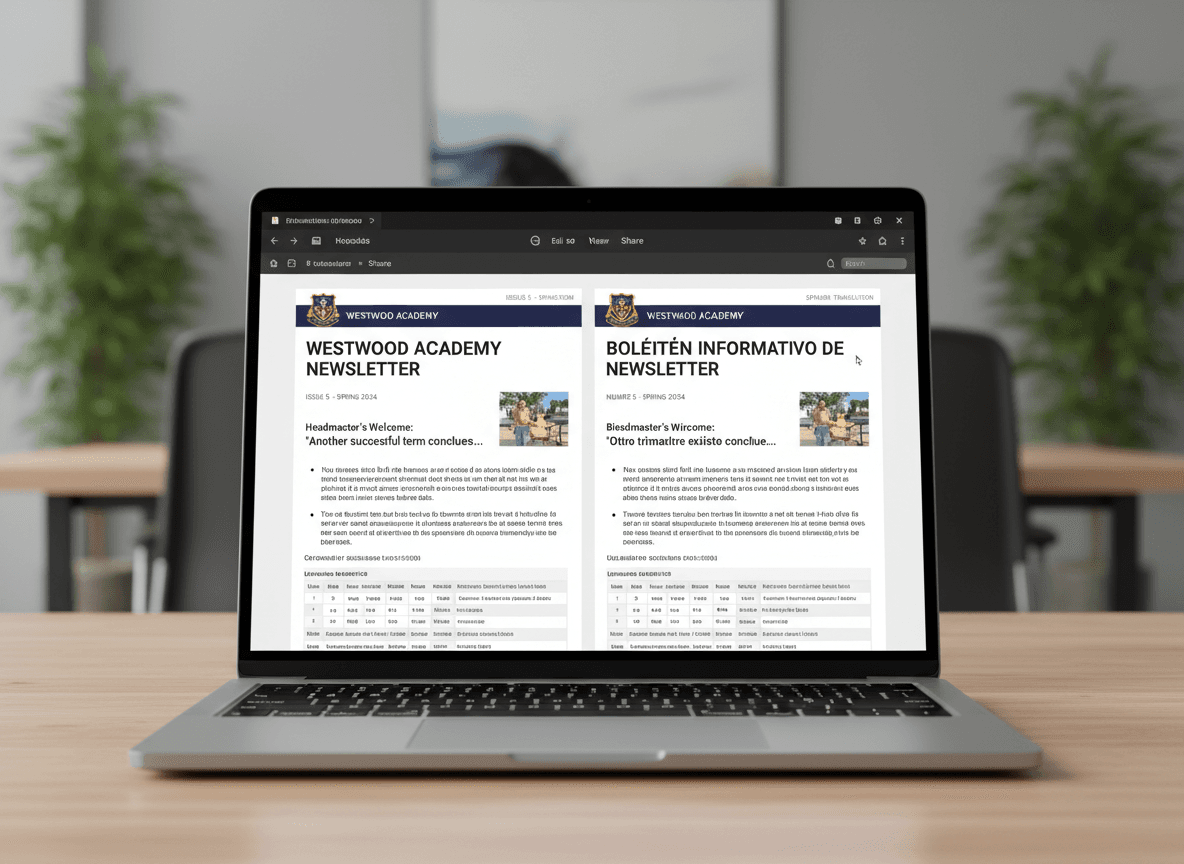
The biggest obstacle to bilingual school newsletters is not the translation itself , it is the belief that every translation requires a professional translator. That belief leads to irregular communication, English-only newsletters for most families, and a pile of guilt about the families being left out.
Here is a realistic translation workflow that produces accurate newsletters consistently without requiring a professional translator for every issue.
Write for Translation First
The single most effective step in the translation workflow happens before you translate anything: write your original newsletter in plain, translation-friendly English.
This means:
- No idioms. "We knocked it out of the park this week" becomes "We had a great week." Plain English translates accurately. Idioms produce machine translation failures.
- Short sentences. Sentences with multiple clauses, parenthetical interruptions, and complex structures are harder to translate accurately. Keep sentences under 20 words when possible.
- No acronyms without context. Spell out any term the first time you use it, including in the English version. This forces you to write in plain terms that translate cleanly.
- Consistent terminology. If you call the front office "the main office" in one sentence, do not call it "the front desk" in the next. Consistent terminology produces consistent translation.
Machine Translation: Which Tool and How to Use It
For Spanish, both Google Translate and DeepL produce accurate newsletter translations when the source text is plain and clear. DeepL generally produces more natural-sounding Spanish for professional communication. Google Translate is faster and handles more language pairs.
The workflow:
- Write your newsletter in plain English as described above.
- Paste the full text into your translation tool. Translate section by section, not as one block, this makes review easier.
- Copy the translated sections into your newsletter template.
- Do the 60-second scan described below before sending.
Total additional time for a newsletter you have already written: approximately 10-15 minutes. Sustainable every week.
The 60-Second Quality Scan
Machine translation of plain English is usually accurate. But it makes specific types of errors that a brief scan catches.
Read through the translated newsletter and look for:
- Dates and numbers. These sometimes get reformatted incorrectly. Verify that "May 15th" is rendered correctly as "15 de mayo" (not "mayo 15" or other formats that look wrong in Spanish).
- Names. Proper names should not be translated. Check that teacher names, school names, and program names are unchanged.
- Any sentence that sounds awkward. If a sentence reads strangely in Spanish, it is usually because the English original had an idiomatic construction. Rewrite the English sentence in plainer terms and retranslate.
- Formal address consistency. Check that the translation uses "usted" consistently (or "tú" if that is the school's style) rather than mixing registers mid-newsletter.
Using a Community Reviewer
A second set of eyes on translations, even occasional review, catches errors that automated tools miss and builds community trust in your bilingual communication.
Who this might be: a Spanish-speaking colleague on staff, a parent volunteer with strong written Spanish, a district bilingual coordinator, or a community liaison. The ask is light: "Would you be willing to spend two minutes scanning our newsletter translation before it goes out? I just want to make sure nothing reads awkwardly."
This is not a professional translation review. It is a quick sanity check that builds in human judgment on the edge cases machines get wrong.
If you establish this relationship at the start of the year, it becomes a two-minute weekly email rather than a one-time request.
Building a Glossary
After your first month of sending bilingual newsletters, you will notice that you translate the same terms repeatedly: homework, field trip, parent-teacher conference, main office, backpack mail. Build a small glossary of these terms with your preferred Spanish equivalents.
This does two things: it makes future translation faster (you are not re-deciding tarea vs. deberes every week), and it creates consistency across all your communications so families learn your terminology and are not confused by varying translations.
A glossary of 20-30 terms covers most of a school newsletter's recurring vocabulary. Build it in a shared document that all teachers in your school can access and contribute to.
When to Use Professional Translation
Machine translation with brief human review is appropriate for weekly class newsletters, event announcements, and routine school communications.
Professional translation is required for: IEP notices and related services documentation, enrollment forms, disciplinary notices, formal consent documents, and anything with legal weight. The distinction matters. Do not use machine translation for high-stakes documents.
Most school districts have professional translation services available, through the district bilingual department, a contracted service, or language access programs required under Title VI. Know what your district provides before spending time on workarounds for documents that should have professional translation.
Get one newsletter idea every week.
Free. For teachers. No spam.
Frequently asked questions
When should schools invest in professional translation versus using AI tools for newsletter content?
Use professional translation for any communication involving legal rights, disability services, discipline decisions, or enrollment requirements, since errors in these areas carry real compliance and equity risk. AI-assisted translation with human review is appropriate for routine weekly newsletters when the output is verified by a bilingual community member before sending.
What should schools include in a translation quality process for school newsletters?
A reliable translation process has three elements: a glossary of school-specific terms in each relevant language that is reviewed once and reused consistently, an AI-assisted draft step to handle the bulk of recurring content, and a 60-second review by a bilingual community reviewer who checks for accuracy and tone before each send. Building a glossary upfront is the step most schools skip and the one that most improves long-term quality.
How should teachers write newsletter content in English to make translation easier and more accurate?
Write short, concrete sentences with one idea each, avoid idioms and metaphors that do not translate across languages, and use standard school vocabulary rather than creative variations of common terms. A sentence like 'We really knocked it out of the park this week' is almost impossible to translate accurately. 'Students completed their science projects and all three groups presented to the class' translates cleanly into any language.
What are common translation mistakes that undermine equity in school communication?
The most damaging mistake is sending unreviewed machine translation and calling it a translated newsletter. Families who receive garbled or inaccurate content quickly learn to discard school newsletters, and rebuilding that trust is harder than building it correctly in the first place. Using a different, less formal translation for the Spanish version than for the English original sends a signal about whose communication the school treats as important.
How can schools manage the translation workflow efficiently across multiple languages?
A platform like Daystage lets you maintain separate subscriber groups by language and send each version in one workflow, so the distribution step does not multiply the workload. Pairing that with a pre-built glossary and a rotating community reviewer means the weekly translation process takes under 30 minutes rather than several hours.

Adi Ackerman
Author
Adi Ackerman is a former classroom teacher and curriculum writer with 8 years in K-8 schools. She writes about school communication, parent engagement, and what actually works in real classrooms.
More for Bilingual
School Newsletter for Turkish-Speaking Families: Connecting with Your Turkish-American Community
Bilingual · 5 min read
Bilingual High School Newsletter: How to Keep Multilingual Families Engaged at the Secondary Level
Bilingual · 5 min read
Dual Language Program Newsletter for Families: What to Communicate
ELL & ESL · 6 min read
Ready to send your first newsletter?
3 newsletters free. No credit card. First one ready in under 5 minutes.
Get started free